The quotes app for the words you actually want to keep
Kandou is a quotes app for iPhone that starts with the lines you choose. Save a quote with its source, file it where it belongs, and meet it again on your Home Screen widget, as a wallpaper, or on the schedule you set. A curated library of Stoic wisdom, motivation, and love gets you started.
Free · Pro $4.99 USD once · No subscription · No ads · No account
- Platform
- iPhone, iOS 18 or later
- Price
- Free · Pro $4.99 once
- Every day
- Home Screen widget & wallpapers
- Your data
- On your iPhone. No account
See Kandou on your iPhone
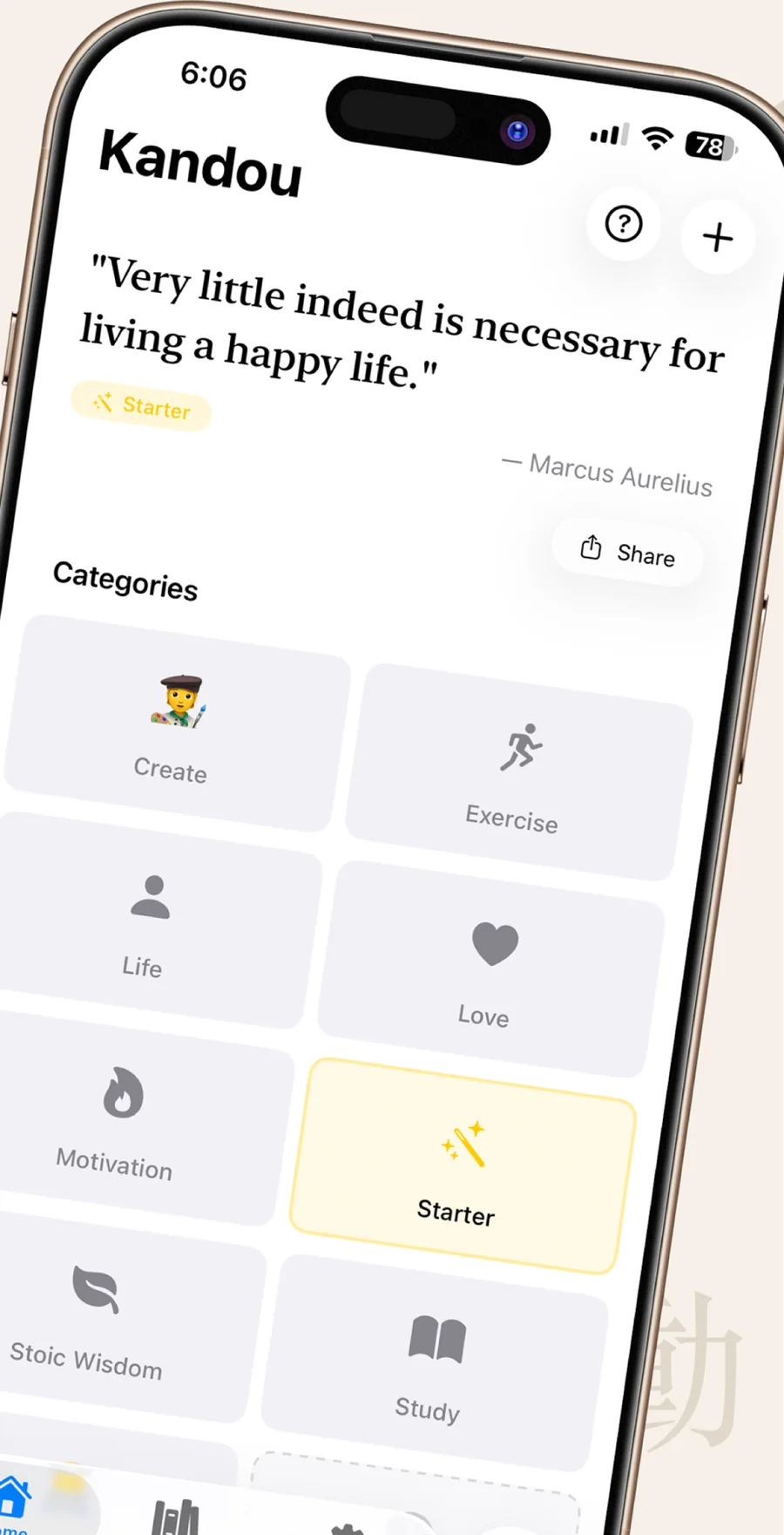
The screenshots from the App Store listing: the widget, the wallpaper export, the library, and the collection.
-
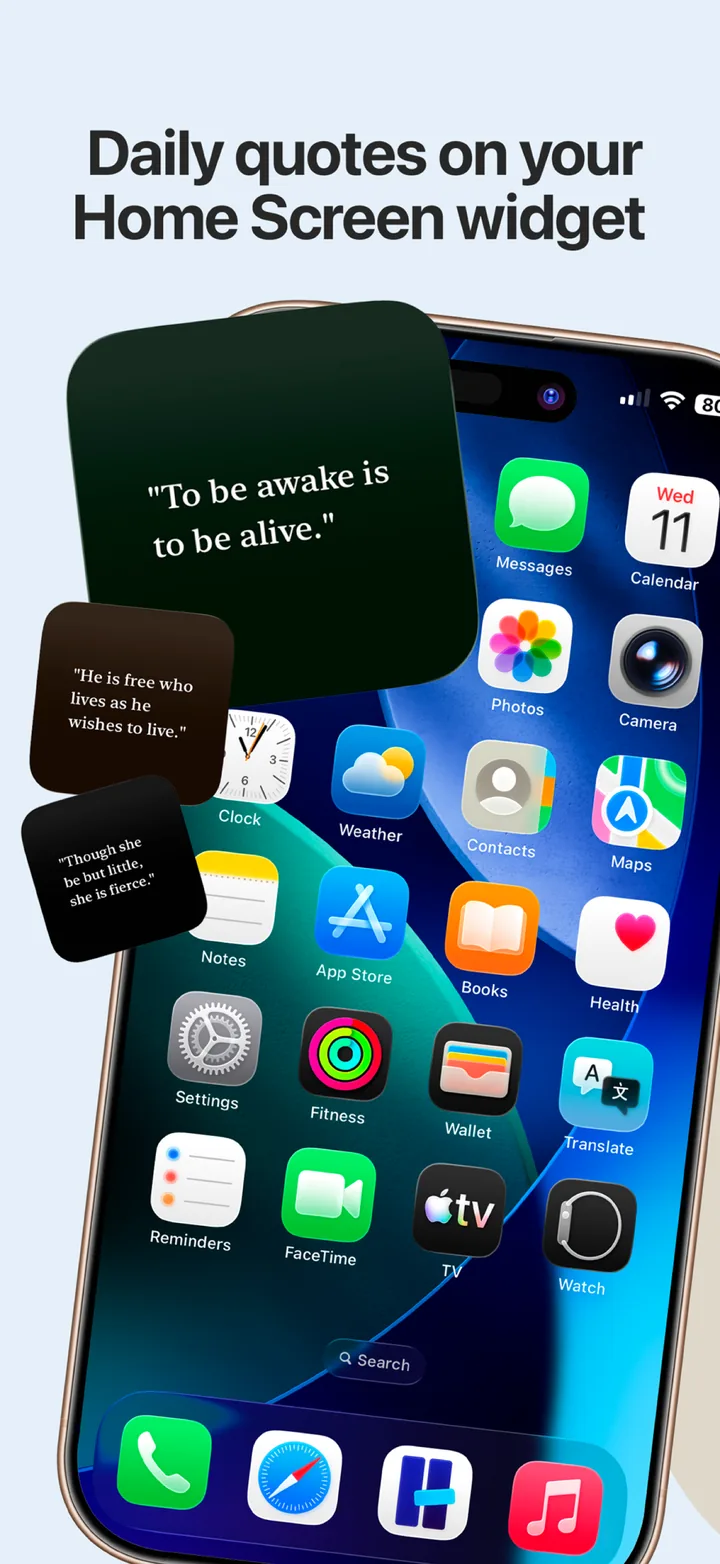
Daily quotes on your Home Screen widget: a Kandou quote widget on an iPhone Home Screen next to floating quote cards. -
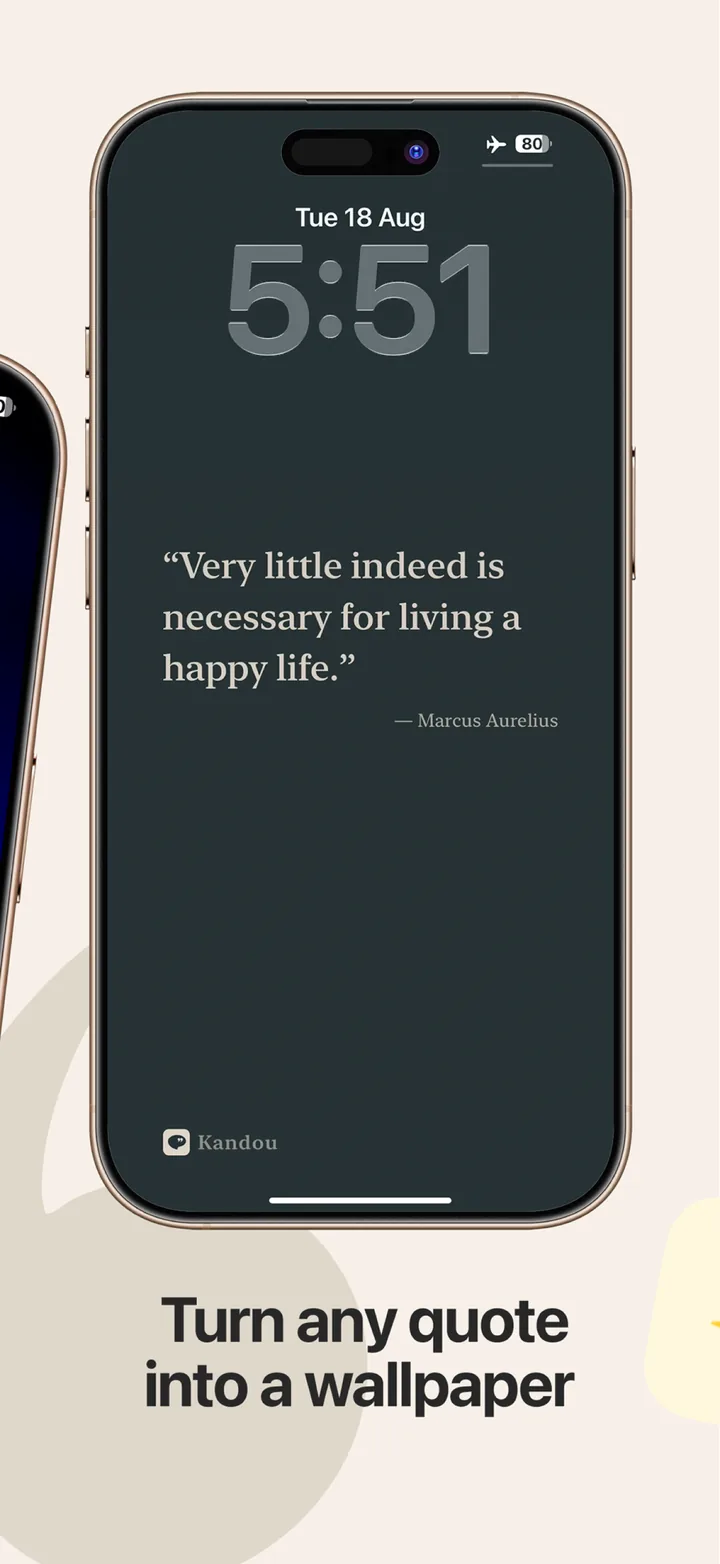
Turn any quote into a wallpaper: a Marcus Aurelius quote saved as an iPhone Lock Screen wallpaper. -
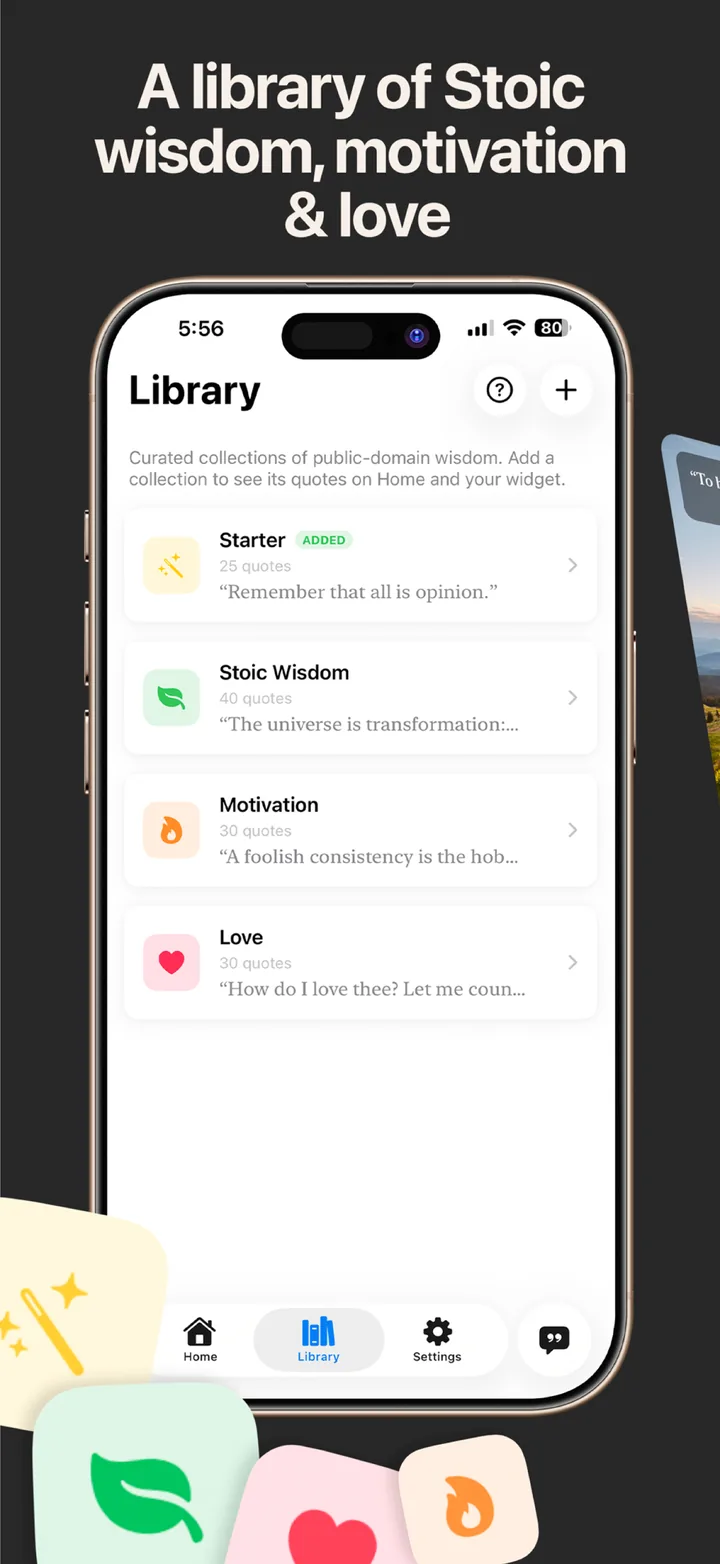
A library of Stoic wisdom, motivation, and love: the Library tab with the Starter, Stoic Wisdom, Motivation, and Love collections. -
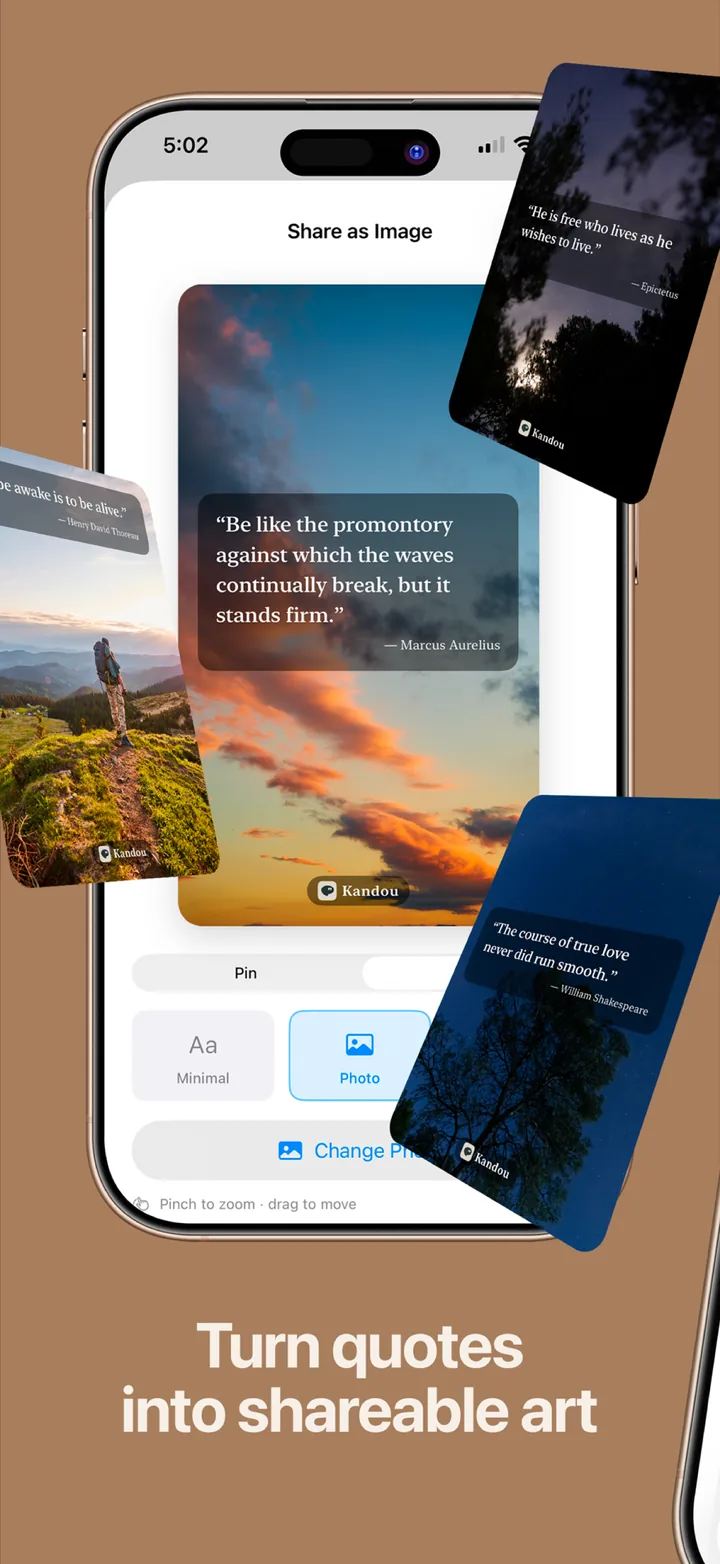
Turn quotes into shareable art: the Share as Image sheet with the Photo style over a landscape photograph. -
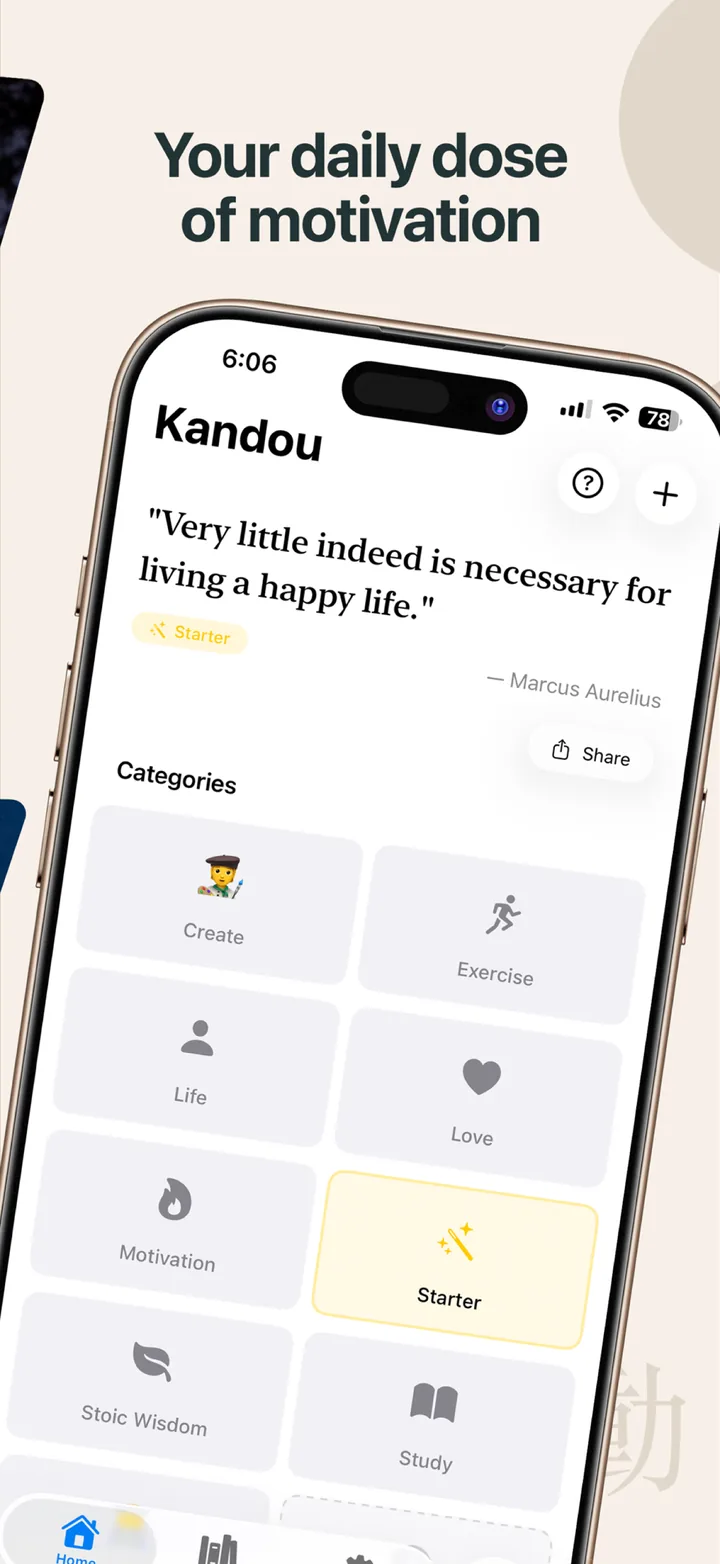
Your daily dose of motivation: the Home tab showing the current quote with the category grid below it. -
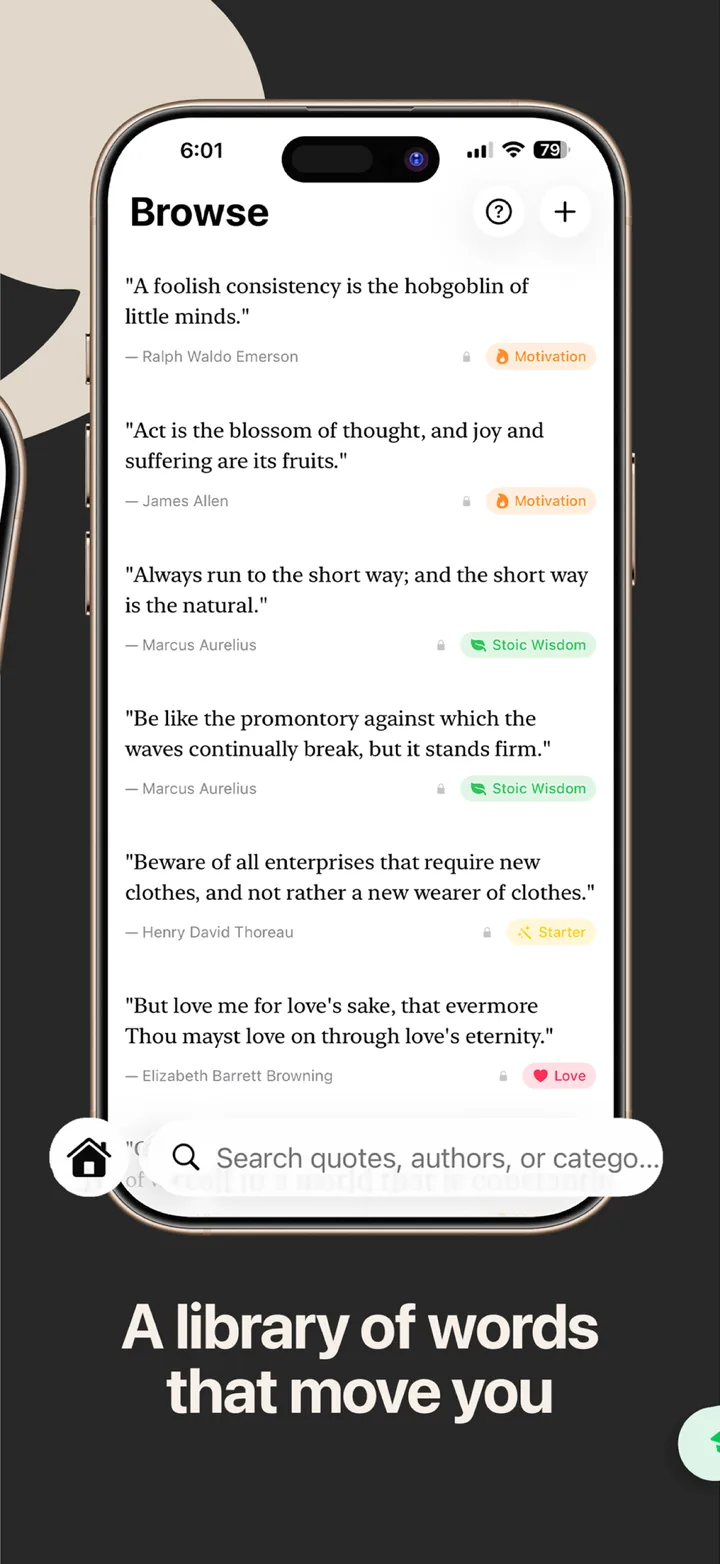
A library of words that move you: the Browse tab listing quotes by Emerson, Marcus Aurelius, and others, with search. -
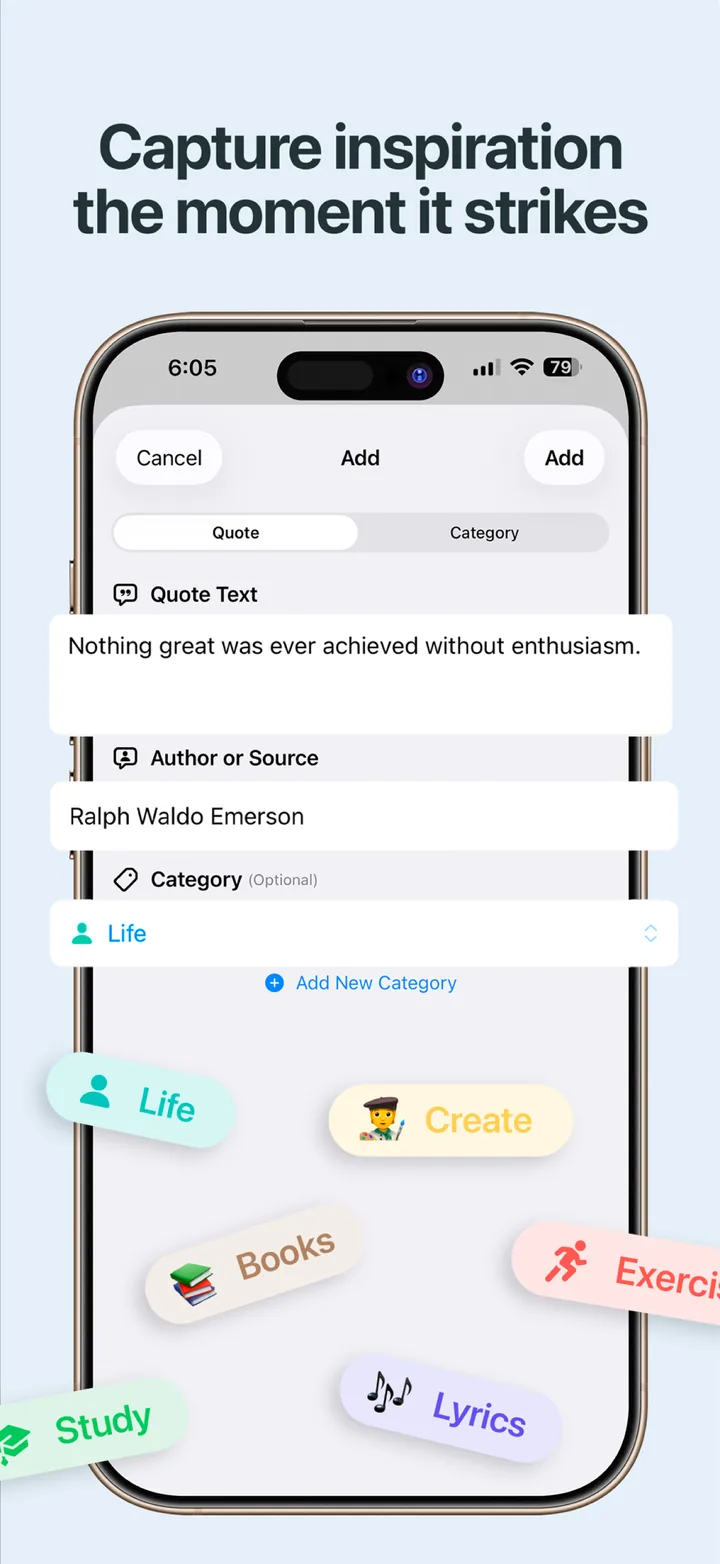
Capture inspiration the moment it strikes: the Add sheet with fields for the quote, the author or source, and a category. -
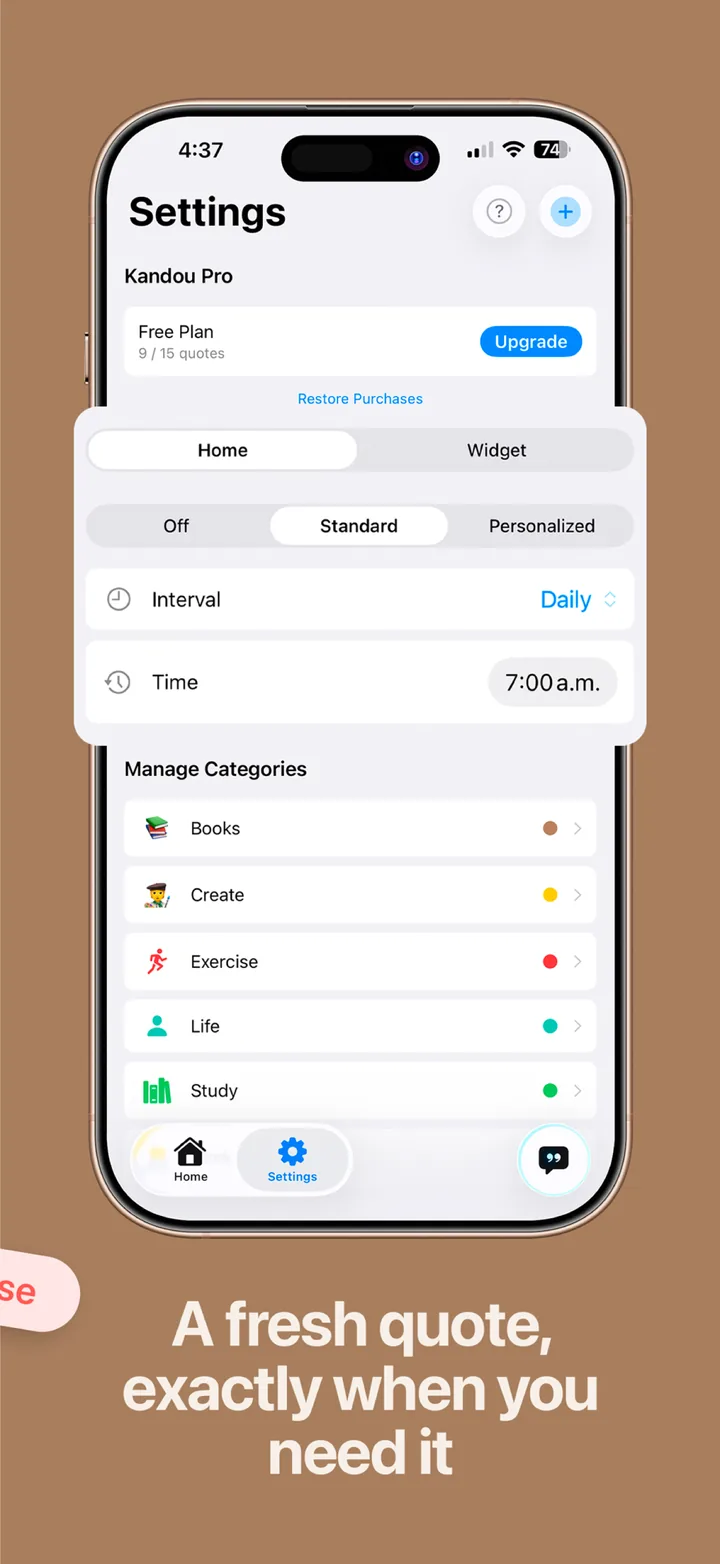
A fresh quote exactly when you need it: Settings with the Home and widget rotation schedule and category management.
A collection, not a feed
A line from a book, advice from a mentor, a sentence you wrote yourself. Kandou keeps them with their sources and brings them back when you need them.
Your quotes, with their sources
Save any line with its author, book, film, or podcast. File it under a category with its own color, icon, or emoji, and find it again by searching the text, the author, or the category.
How to build a quote collection →A library to start with
Twenty-five curated public-domain quotes come free. Pro adds Stoic Wisdom, Motivation, and Love: more than 100 lines from Marcus Aurelius, Seneca, Epictetus, Emerson, Thoreau, and Dickinson, added to your rotation with one tap.
Inside the Stoic Wisdom collection →A quote when you need it
Rotate quotes daily, every other day, weekly, or at up to four custom times a day. Open Kandou to the quote that matters right now, filtered to one category if you like.
A daily quote on your terms →On your Home Screen
A small widget shows your current quote for free. Pro unlocks the medium widget and lets you style it with your own photo, font, size, and text color. Both follow your rotation schedule.
Setting up the widget →Wallpapers and shareable images
Turn any quote into a Pinterest Pin, an Instagram Story, or a full-screen wallpaper, with your choice of font and size. The Minimal style is free; Pro adds your own photos and bold custom colors.
Making a quote wallpaper →Quiet by design
No social feed, no AI-generated content, no ads, no account. Everything stays on your iPhone. Clean serif typography, gentle animations that respect Reduce Motion, and an interface that stays out of the way.
How it works
Three habits, and the app does the rest.
-
Save the line
Tap the plus button, paste or type the quote, add the author or source, and pick a category. Make a new category on the spot with an emoji and a color.
-
Or start from the library
Open the Library tab. The 25-quote Starter collection is already yours; Pro adds Stoic Wisdom, Motivation, and Love. Add a whole collection to your rotation with one tap.
-
Meet it again
Set a rotation in Settings, put the widget on your Home Screen, and save a favorite as your wallpaper. The quotes you chose keep coming back.
Want the full routine? Read the quote collection guide →
Guides: quotes on your iPhone, your way
Practical, honest walkthroughs: how to keep the lines you love, see them every day, and share them, with the exact steps in Kandou.
Keep the words that move you
An app to save quotes: how to build a collection you will actually reread
Why most saved quotes disappear, the three habits that fix it (source, category, rotation), and the exact steps in Kandou, free on iPhone.
Read the guide →How to save quotes from books (and actually see them again)
Where book quotes get lost (highlights, Goodreads, screenshots), a workflow for Kindle and paper books, and how to keep and reread them in Kandou.
Read the guide →A commonplace book app for iPhone: the old practice, without the notebook
What a commonplace book is, why the digital versions usually fail (nothing resurfaces them), and how to keep one on iPhone with Kandou.
Read the guide →See them every day
A quote widget for iPhone that shows your own quotes
How iPhone widgets work, how to add the Kandou widget, how to make it change daily or at custom times, and how Pro styles the medium widget with your photo and font.
Read the guide →Quotes on your iPhone Lock Screen: the wallpaper way, and how to make it rotate
Why Lock Screen widgets are the wrong shape for a sentence, how to export a quote as a wallpaper in Kandou, and how iOS Photo Shuffle rotates a set of them.
Read the guide →A daily quote app that shows your quotes, on your schedule, with no feed
What "daily quote" should mean (one chosen line, not an endless feed), how Kandou's rotation modes work, and how to pick a pace that lets a quote land.
Read the guide →A Stoic quotes app with a curated collection, your own notes, and no subscription
What is in Kandou's Stoic Wisdom collection (40 public-domain quotes from Marcus Aurelius, Seneca, and Epictetus), how to add your own from Meditations, and how a daily Stoic line fits a practice.
Read the guide →Make and share
A quote wallpaper maker for iPhone: from a saved line to your Lock Screen
How to turn any saved quote into a crisp full-screen wallpaper in Kandou, the free Minimal look, the Pro Photo and Bold styles, and tips for a wallpaper you can read under the clock.
Read the guide →Share quotes as images for Pinterest and Instagram Stories, from your own collection
The two sizes that fit Pinterest and Stories, the three styles, and a workflow for posting quote cards that come from your own collection instead of a generator.
Read the guide →Start free. Upgrade once, if you want to.
No subscription. No recurring fees. Pay once and keep everything, including every future feature.
Free forever
- 25 curated quotes to start
- Up to 15 quotes of your own
- Unlimited categories with colors, icons, and emojis
- Scheduled rotation: daily, every other day, weekly, or custom times
- Small Home Screen widget
- Search across quotes, authors, and categories
- Share as image (Minimal style, fonts and sizes) and save as wallpaper
Pay once. Keep it forever, with every future feature.
- The full library: 100+ curated quotes across Stoic Wisdom, Motivation, and Love
- Unlimited quotes of your own
- Customizable medium widget: your photo, font, size, and colors
- Photo and Bold share styles: your own photos and custom colors
- All future features, forever
- No subscription, no ads, ever
Both plans include every core feature. No account required, no data collected. Compare Free and Pro in detail →

Download Kandou free
For iPhone, iOS 18 or later. Available in English, Spanish, and Portuguese (Brazil); the curated quotes are in English for now.
Download on the App StoreVersion 1.2.1 · Free · Pro upgrade inside the app · No subscription
Frequently asked questions
Short, direct answers. Each one links to a longer guide.
Is Kandou free?
Yes. Kandou is free to download on iPhone. The free version includes a curated 25-quote Starter library, up to 15 quotes of your own with categories, scheduled quote rotation, a small Home Screen widget, search, the Minimal share style, and saving any quote as a wallpaper. Kandou Pro is a one-time purchase of $4.99 USD. There is no subscription and there are no ads.
Learn more: What free includes and what Pro adds →
Does Kandou have a Home Screen widget?
Yes. Kandou has a small Home Screen widget for free and a medium widget with Pro. Both follow the rotation schedule you set, so the widget changes daily, every other day, weekly, or at up to four custom times a day. Pro lets you style the medium widget with your own photo, font, size, and text color.
Learn more: Setting up the quote widget on iPhone →
Can I put a quote on my iPhone Lock Screen?
Yes, as a wallpaper. Kandou turns any quote into a full-screen wallpaper image you save to Photos and set as your Lock Screen, for free. Kandou does not offer a Lock Screen widget; the wallpaper export is the intended way to keep a quote on the Lock Screen.
Learn more: Quotes on the Lock Screen, step by step →
Does Kandou come with quotes, or only the ones I add?
Both. Kandou includes a curated library of public-domain quotes: a free 25-quote Starter collection, and with Pro the Stoic Wisdom, Motivation, and Love collections, more than 100 quotes from Marcus Aurelius, Seneca, Epictetus, Emerson, Thoreau, Dickinson, and others. Add a whole collection to your rotation with one tap, and add your own quotes alongside them.
Learn more: Inside the Stoic Wisdom collection →
Can I save quotes from books?
Yes. Type or paste the line, add the book or author as the source, and file it under a category such as Books. Kandou does not scan pages with the camera; it is built for the lines you want to keep and reread, and its rotation and widget bring them back to you.
Learn more: Saving quotes from books, without losing them →
Can I share a quote as an image?
Yes. Tap Share on the Home tab, or press and hold a quote in Browse and choose Share as Image. Pick a Pinterest Pin (2:3), a Story (9:16), or a full-screen Wallpaper size, choose a font and size, then share it anywhere or save it to Photos. The Minimal style is free; Pro adds the Photo style (your own photo behind the quote) and the Bold style (your own colors).
Learn more: Making quote images for Pinterest and Stories →
Is Kandou a subscription?
No. Kandou Pro is a one-time $4.99 USD purchase that includes every future feature. There are no recurring fees, no ads, and no account.
Learn more: Free vs Pro, in detail →
Does Kandou sync between devices?
Not yet. Kandou stores everything locally on your iPhone: there is no account and no cloud sync, and nothing leaves the device. That also means deleting the app deletes your collection, so keep the app installed. Sync may come in a future update.
Learn more: More on storage and backups →
Is Kandou available on iPad or Mac?
Kandou is designed for iPhone and requires iOS 18 or later. There is no Mac version, and the app is not designed for iPad.
Learn more: Support and troubleshooting →
How is Kandou different from daily-motivation quote apps?
Most quote apps are feeds: an endless stream of generic lines, often with a subscription and ads. Kandou is a collection: the quotes you chose, plus a small curated library, shown on your schedule with no feed, no AI-generated content, and no account.
Learn more: A daily quote on your terms →
What is a commonplace book, and can Kandou be one?
A commonplace book is a personal notebook of passages worth keeping, a practice that goes back centuries. Kandou is a commonplace book for quotes on your iPhone: save a line with its source, file it under a category, search it later, and let rotation resurface it.
Learn more: Keeping a commonplace book on iPhone →
Where is my data stored?
On your iPhone only. Kandou has no servers, no account, and no analytics tied to your quotes. Share images are rendered on the device.
Learn more: Read the privacy policy →Why "Kandou"?
Kandou is a Japanese word meaning "the feeling of being deeply moved emotionally." It captures the essence of what a meaningful quote can evoke.
Kandou: Quotes & Inspiration is made by Alan Avalos, an independent developer who builds small, focused Apple apps. It launched in March 2026, stores everything on your iPhone, and is built for the moments when the right words, at the right time, shift your perspective or remind you of what matters.
Start collecting today
Save the first quote that moves you, put it on your Home Screen, and let it come back to you. Free, with no account and no subscription.
Download Kandou Free