The Kanban board app for iPhone, iPad, and Mac
Hense turns any project into a board you can see. Drag cards from idea to done, keep every device in sync through iCloud, and never create an account. Free to start, with a one-time Pro upgrade instead of a subscription.
Free · Pro $9.99 USD once · No subscription · No account · iCloud sync
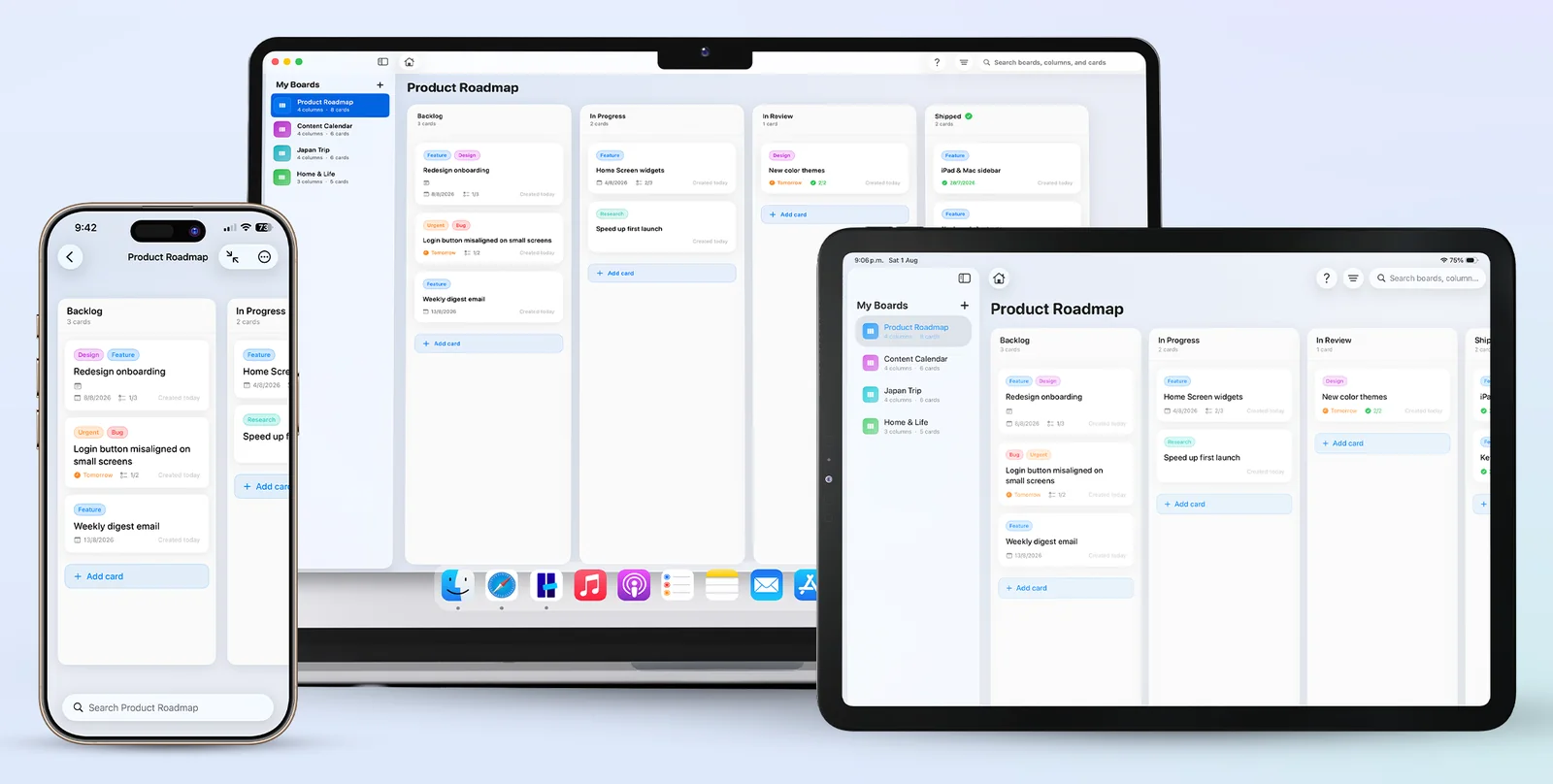
- Platforms
- iPhone, iPad & Mac
- Price
- Free · Pro $9.99 once
- Sync
- iCloud, works offline
- Account
- None. Private by design
See Hense on every screen
The screenshots from the App Store listing. One app, one purchase, native on iPhone, iPad, and Mac.
-
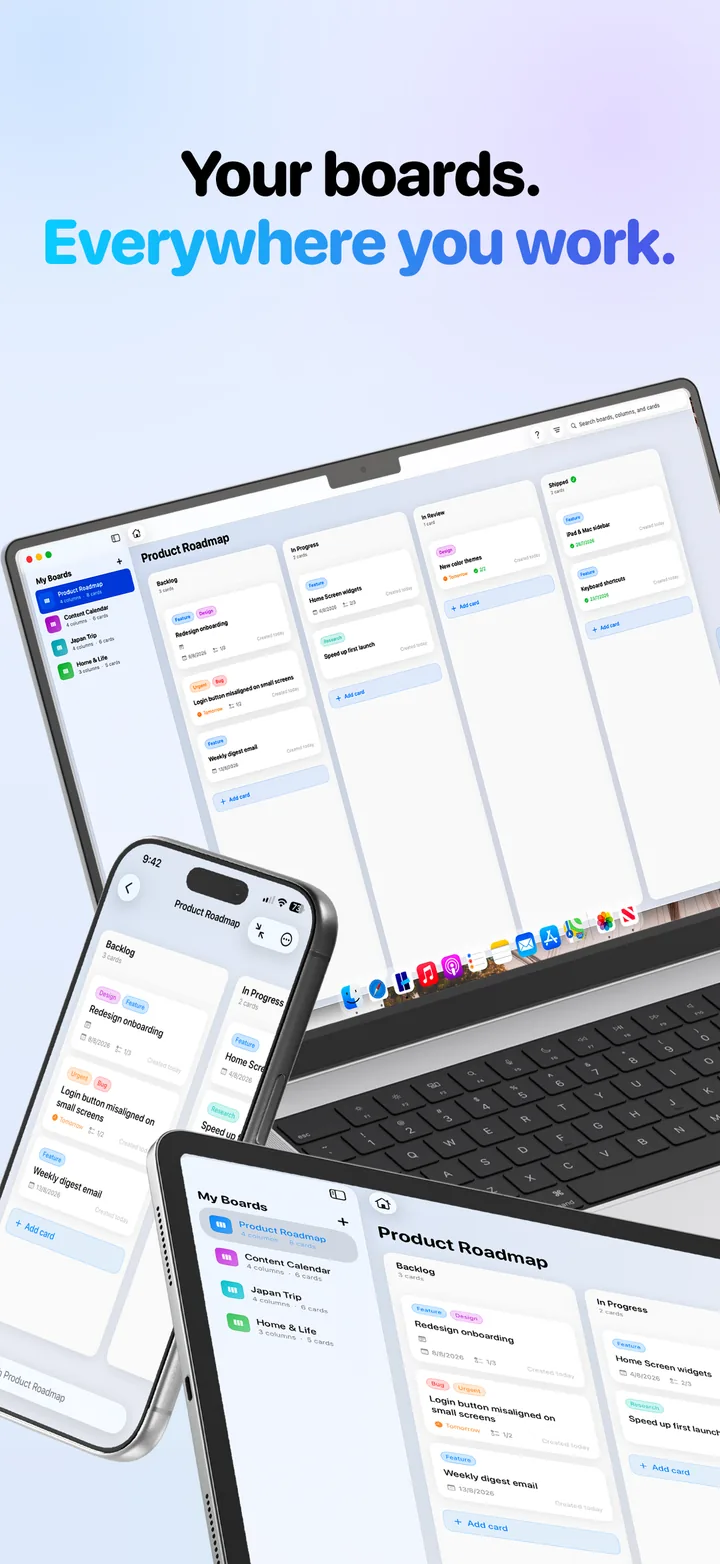
Your boards, everywhere you work: iPhone, iPad, and Mac kept in sync through iCloud. -
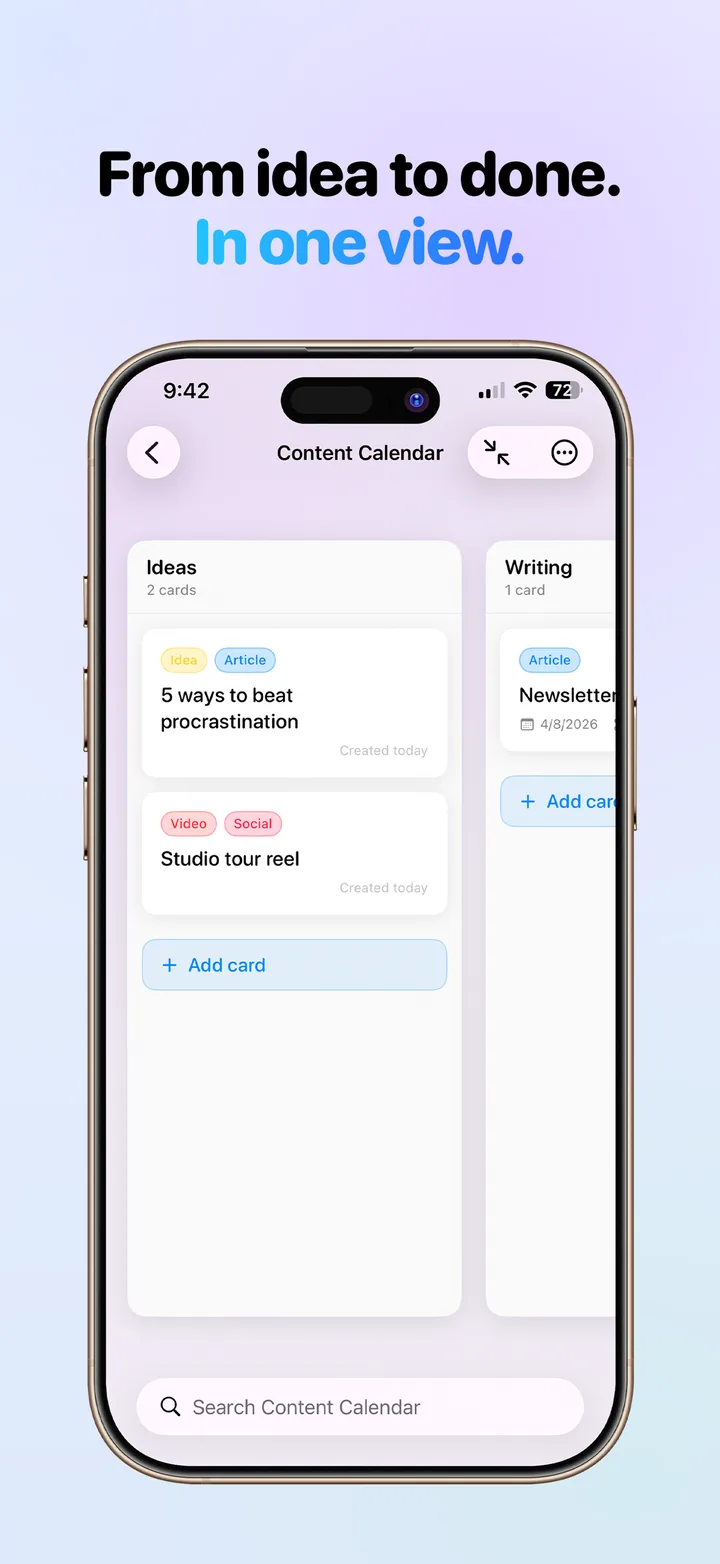
From idea to done in one view: a content calendar board with Ideas and Writing columns on iPhone. -
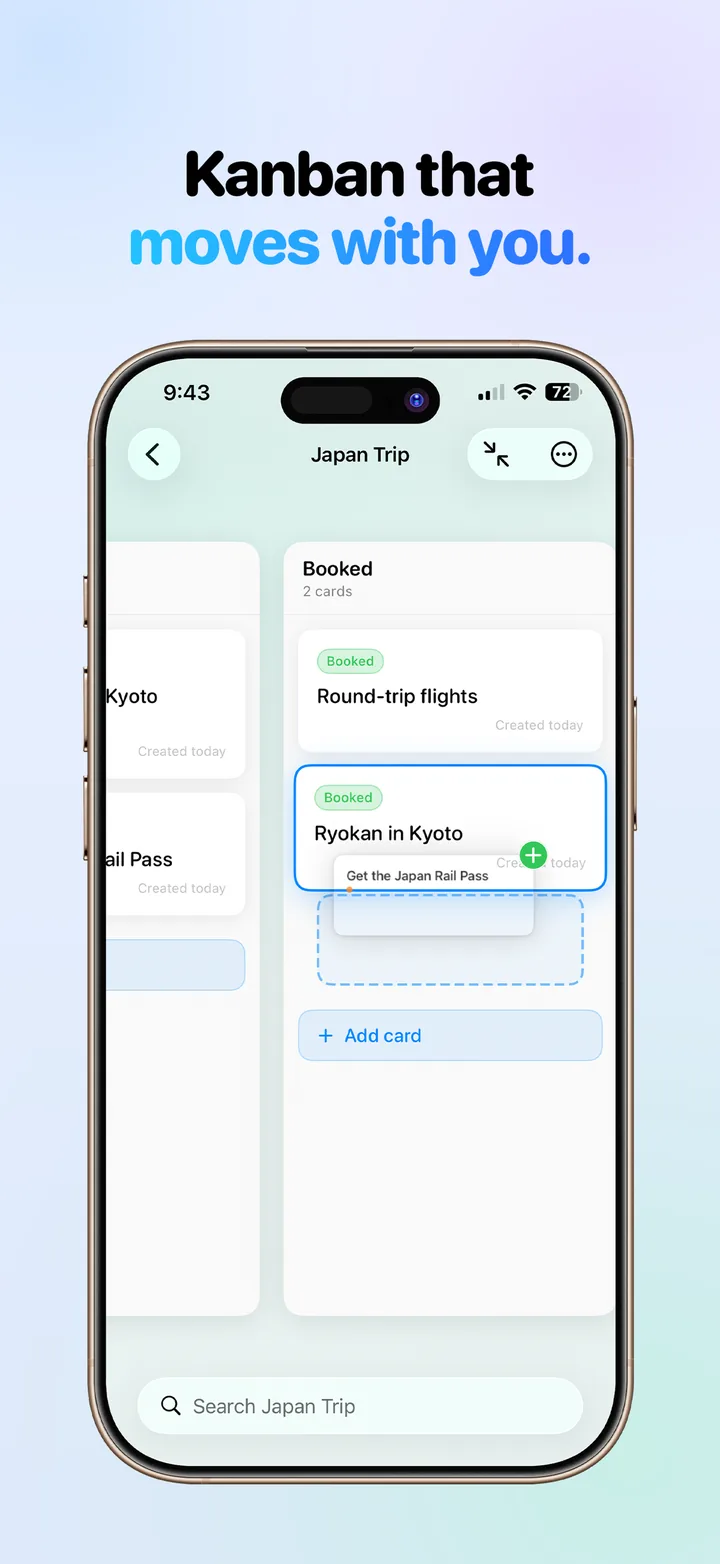
Kanban that moves with you: dragging a card between the Planning and Booked columns of a trip board. -
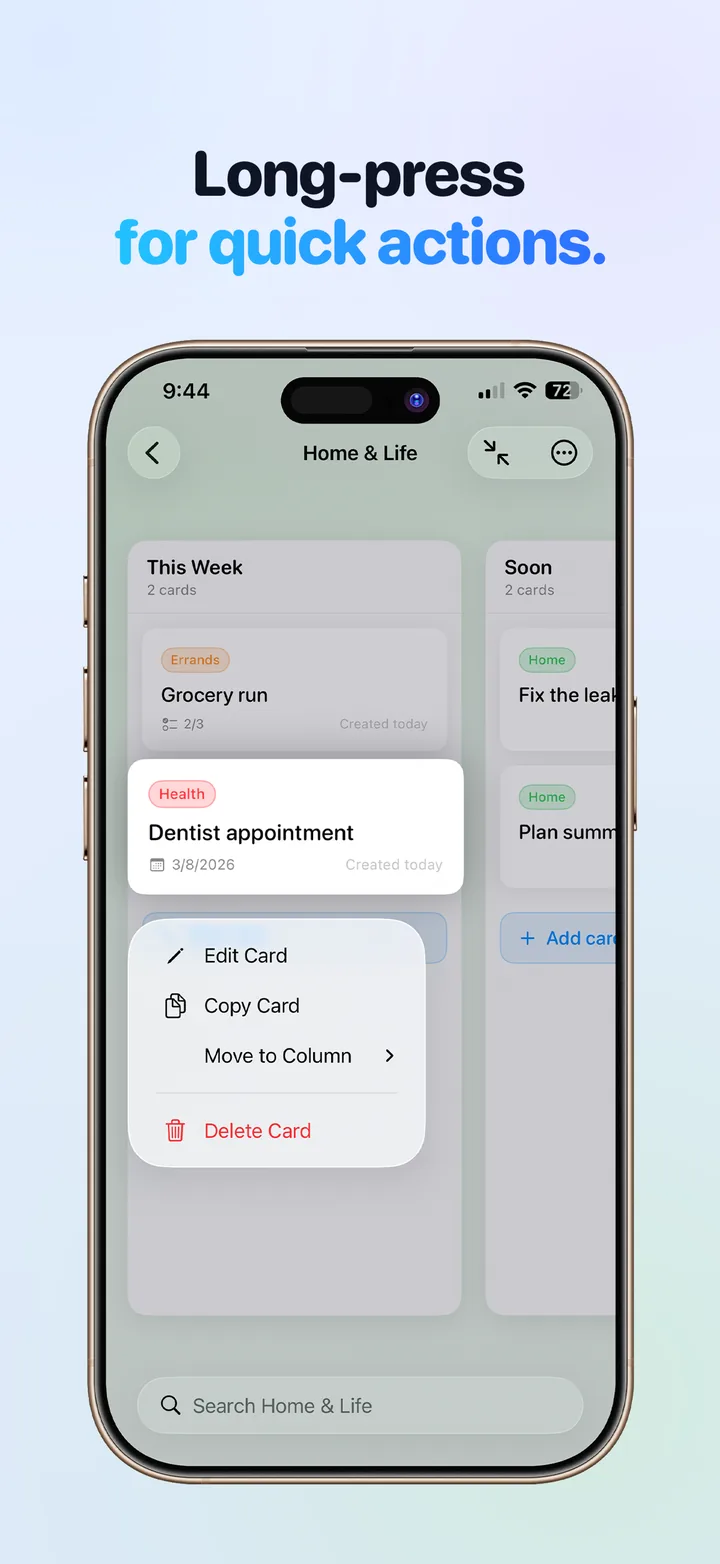
Long-press any card for quick actions: edit, copy, move to another column, or delete. -
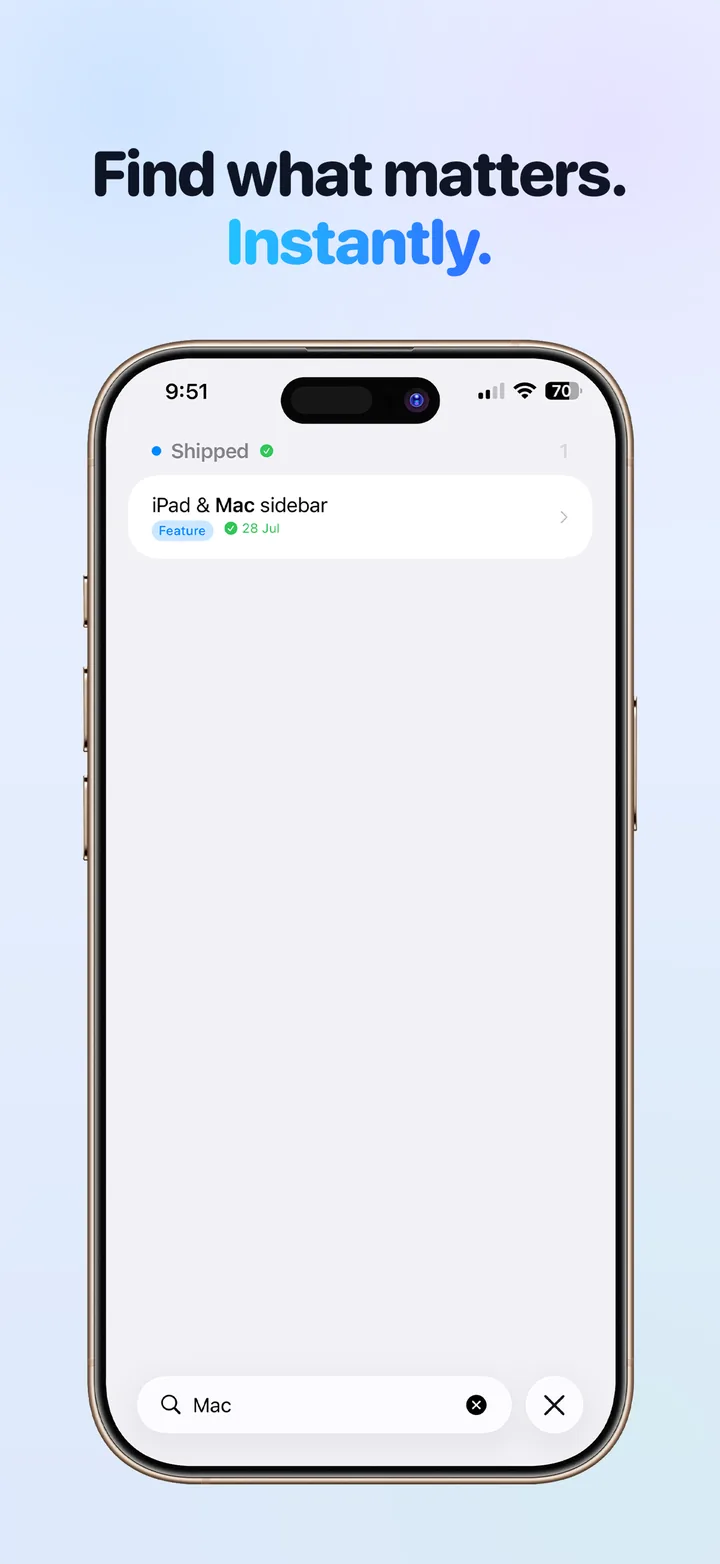
Find what matters instantly: search jumps straight to the card, with label and column filters on Pro. -
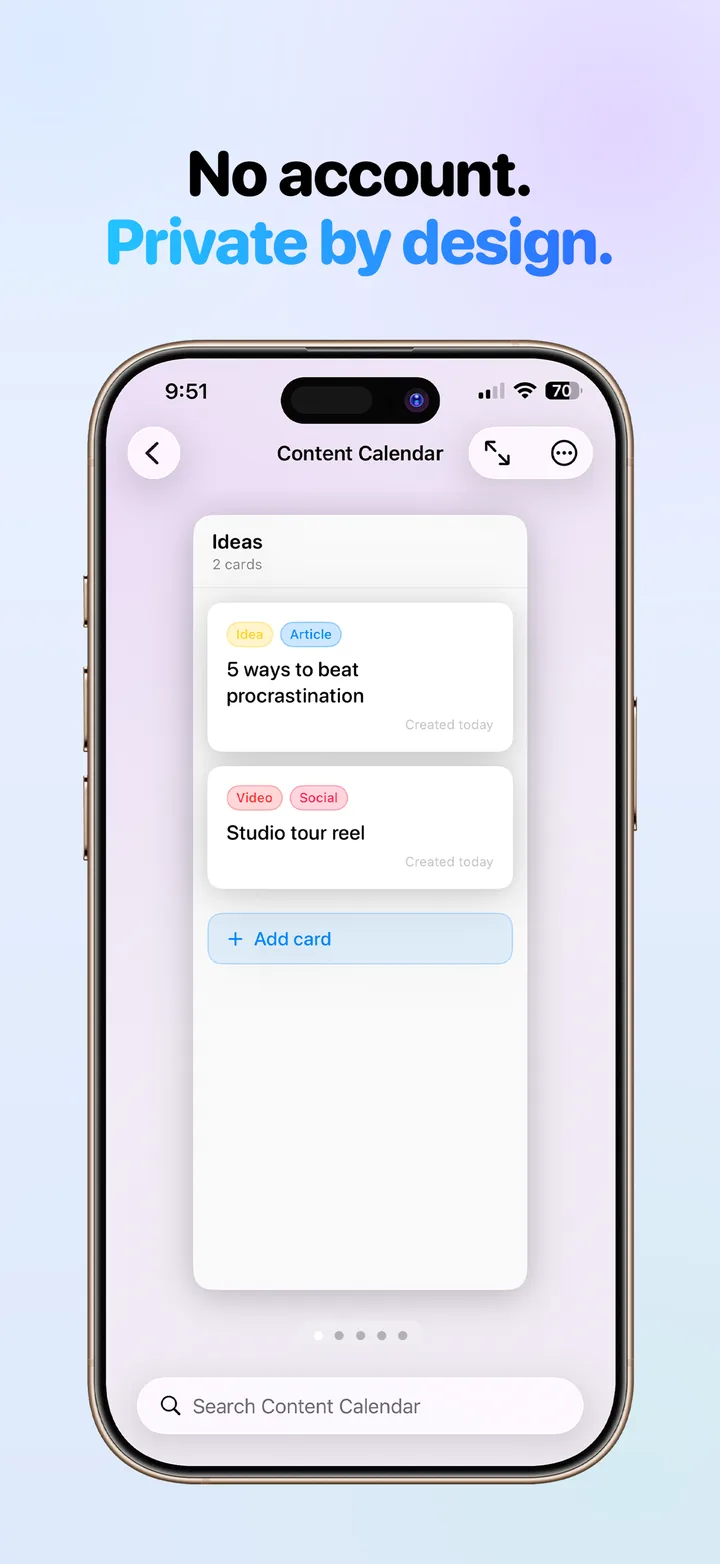
No account, private by design: your boards live on your devices and in your own iCloud.
-
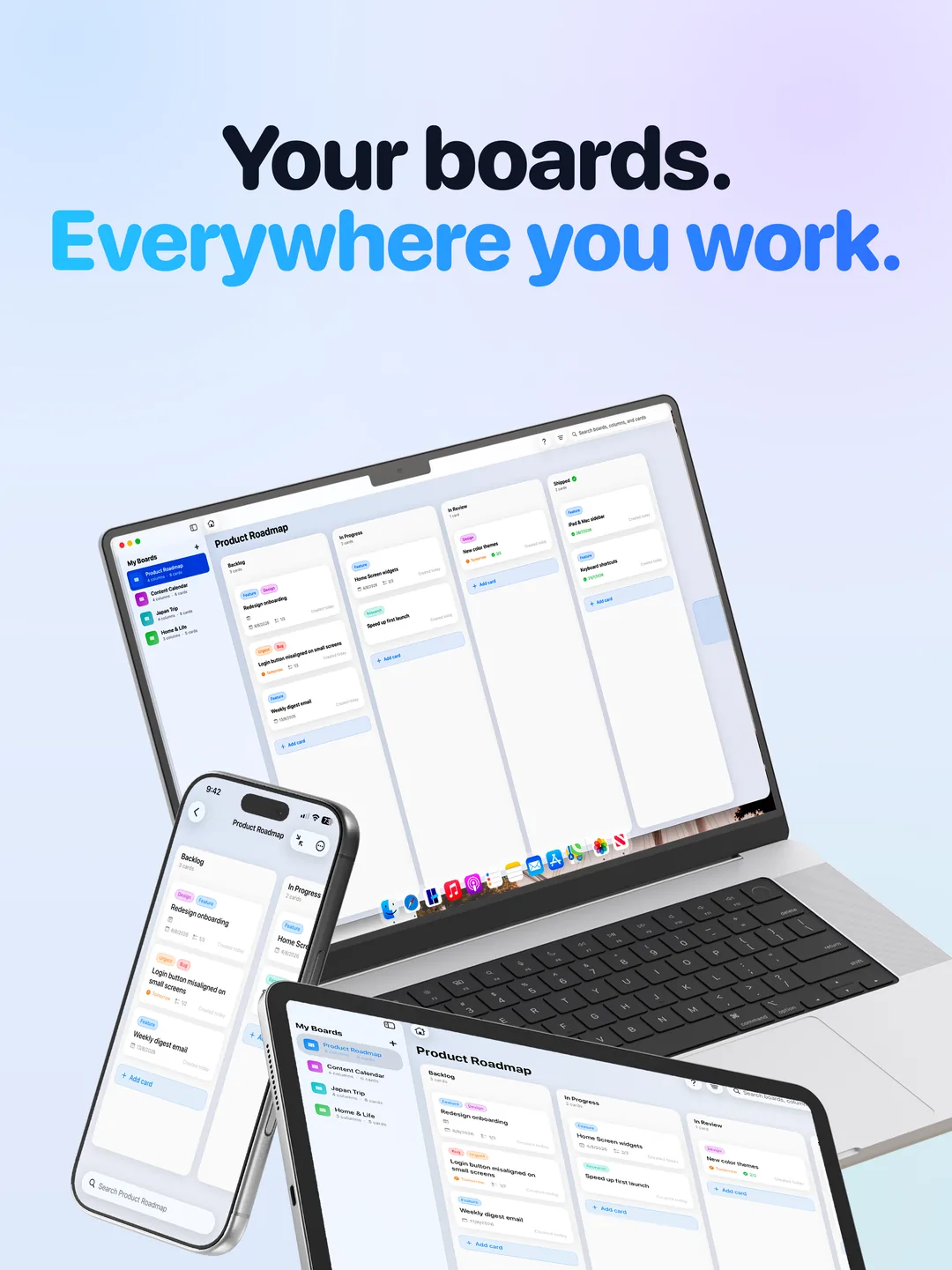
Your boards on every screen: the same Kanban boards on iPad, iPhone, and Mac. -
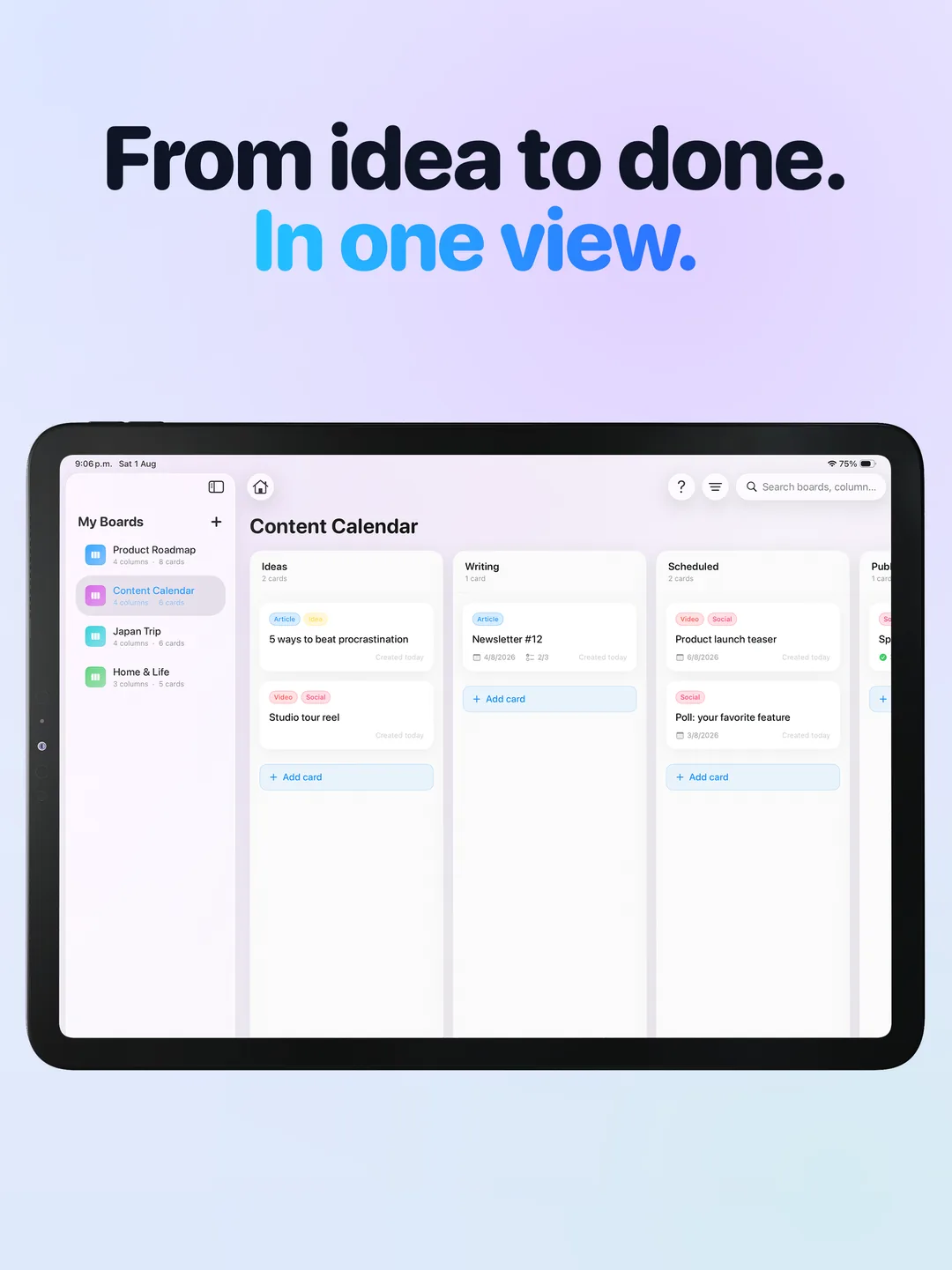
A full board at a glance on iPad, with the board list in a sidebar. -
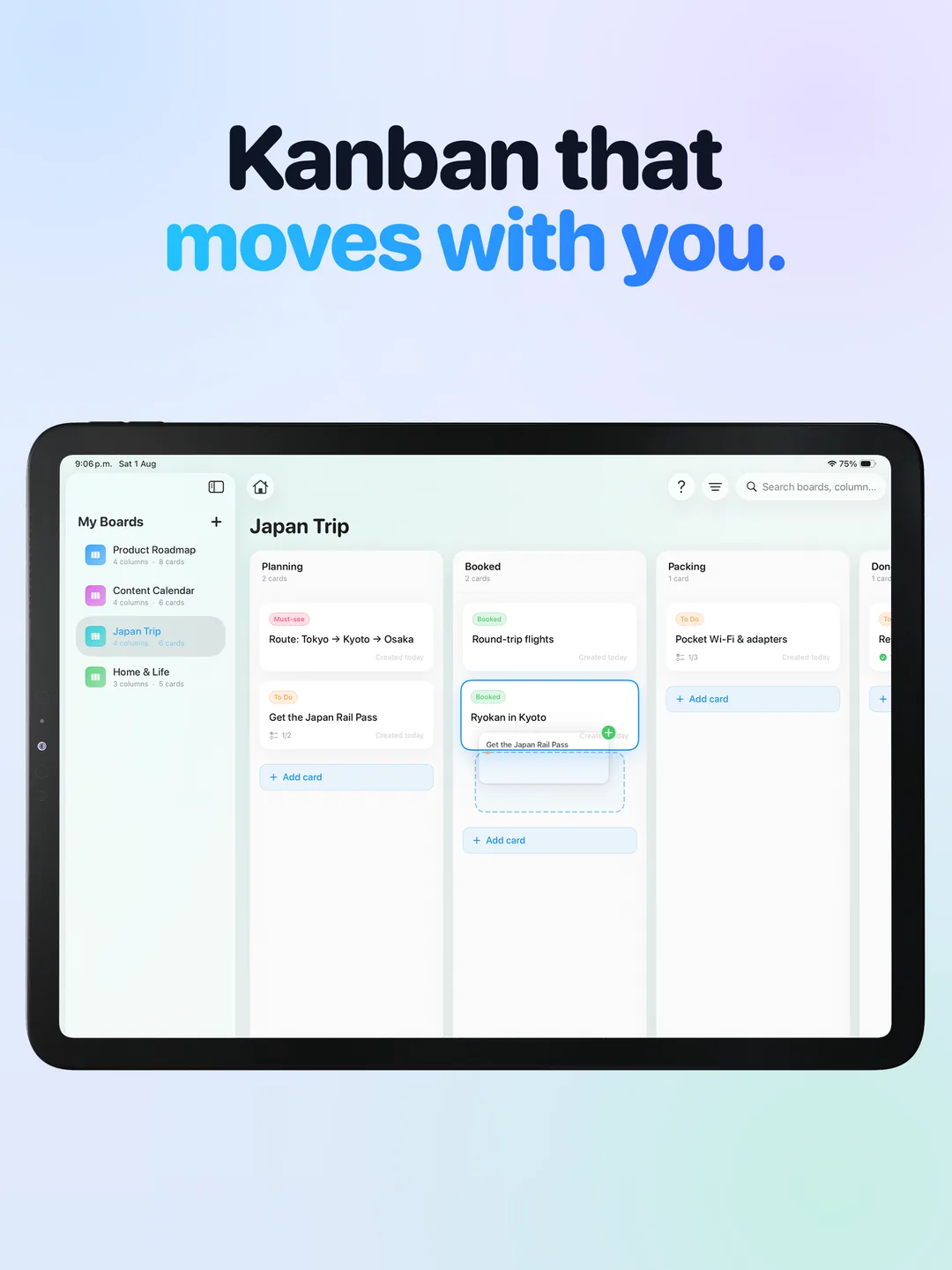
Drag and drop cards between columns on iPad with a finger or a trackpad. -
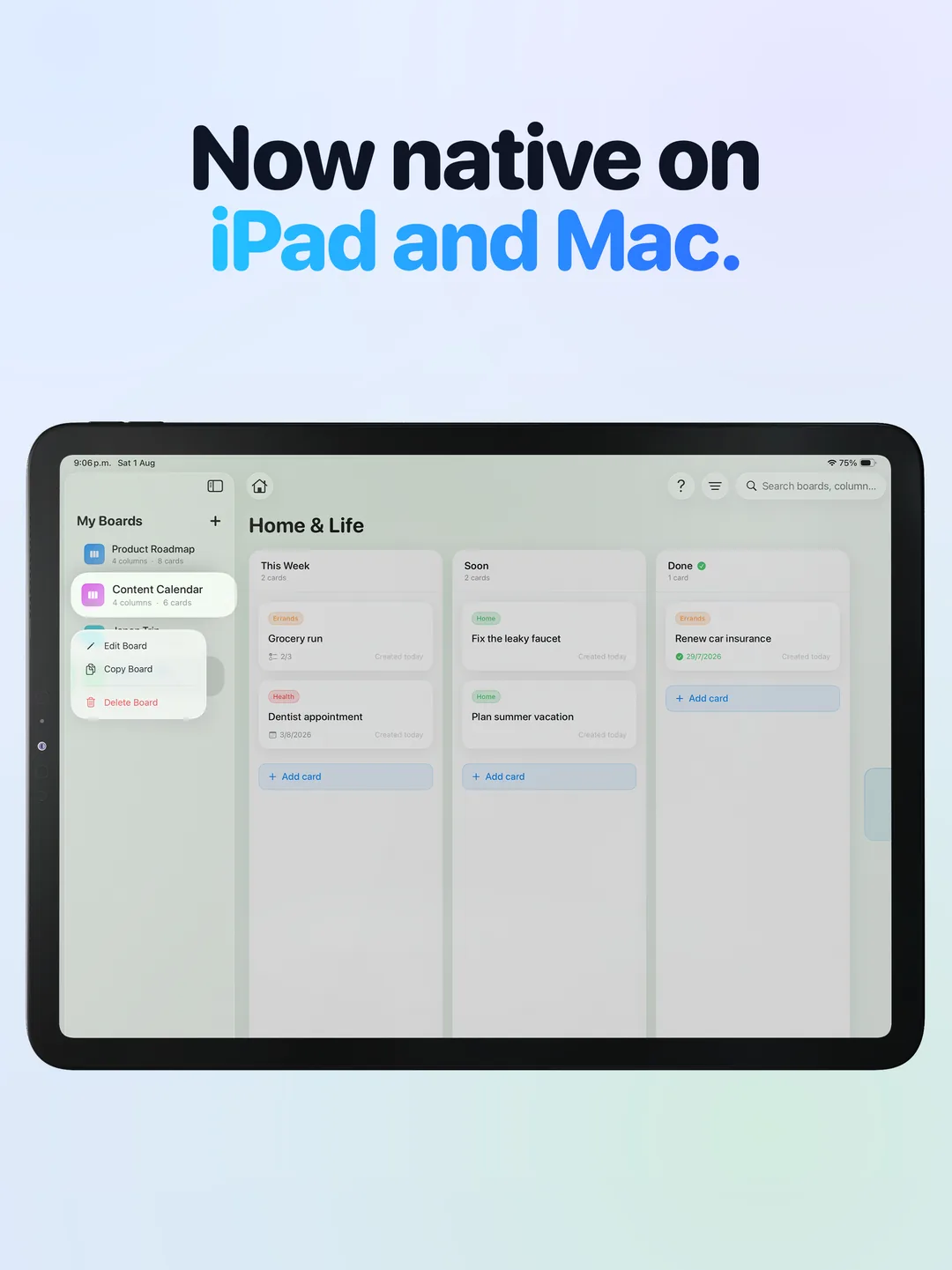
Native on iPad: right-click or long-press a board in the sidebar to edit, copy, or delete it. -
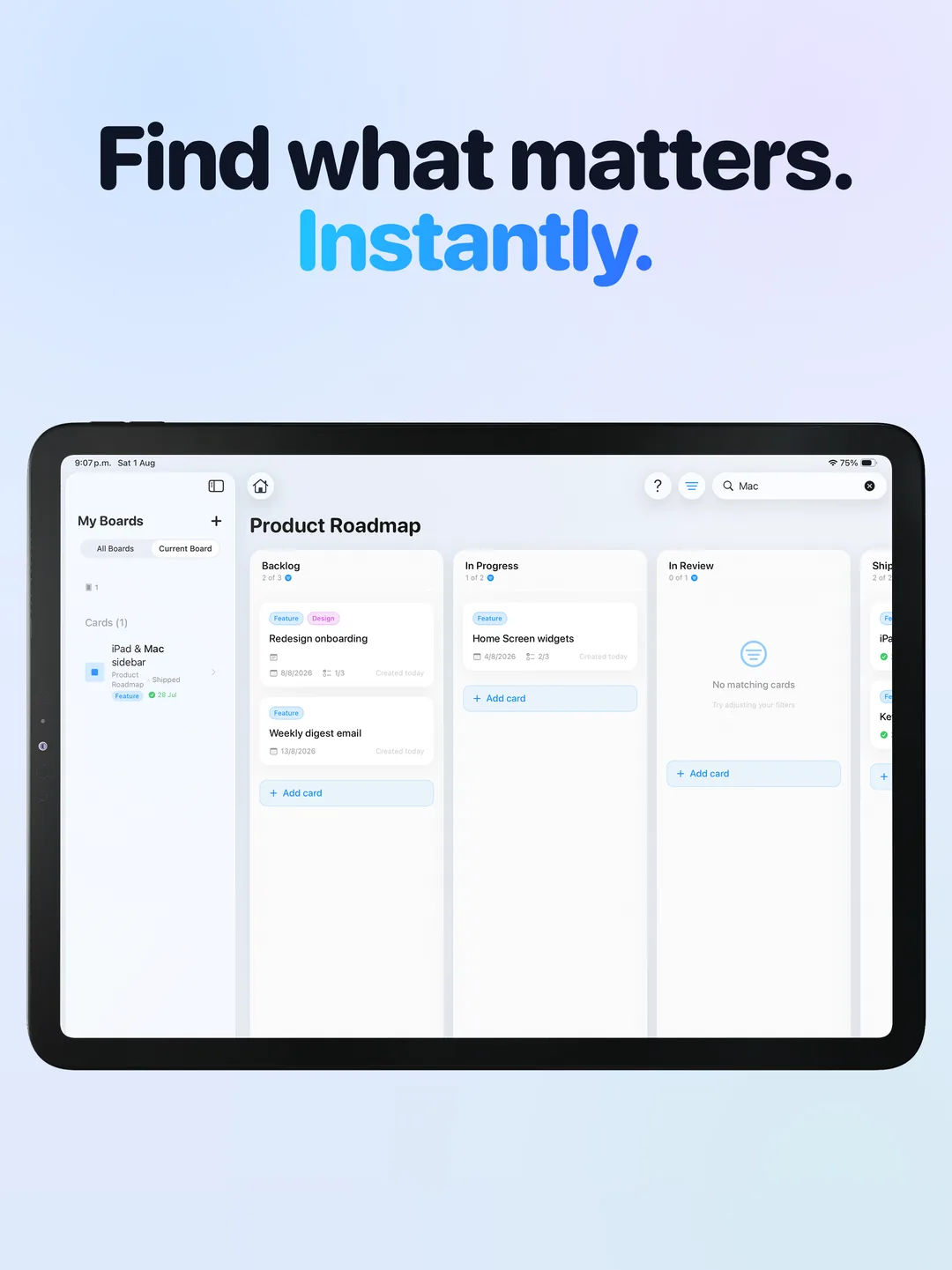
Search across boards from the sidebar and jump to the exact card. -
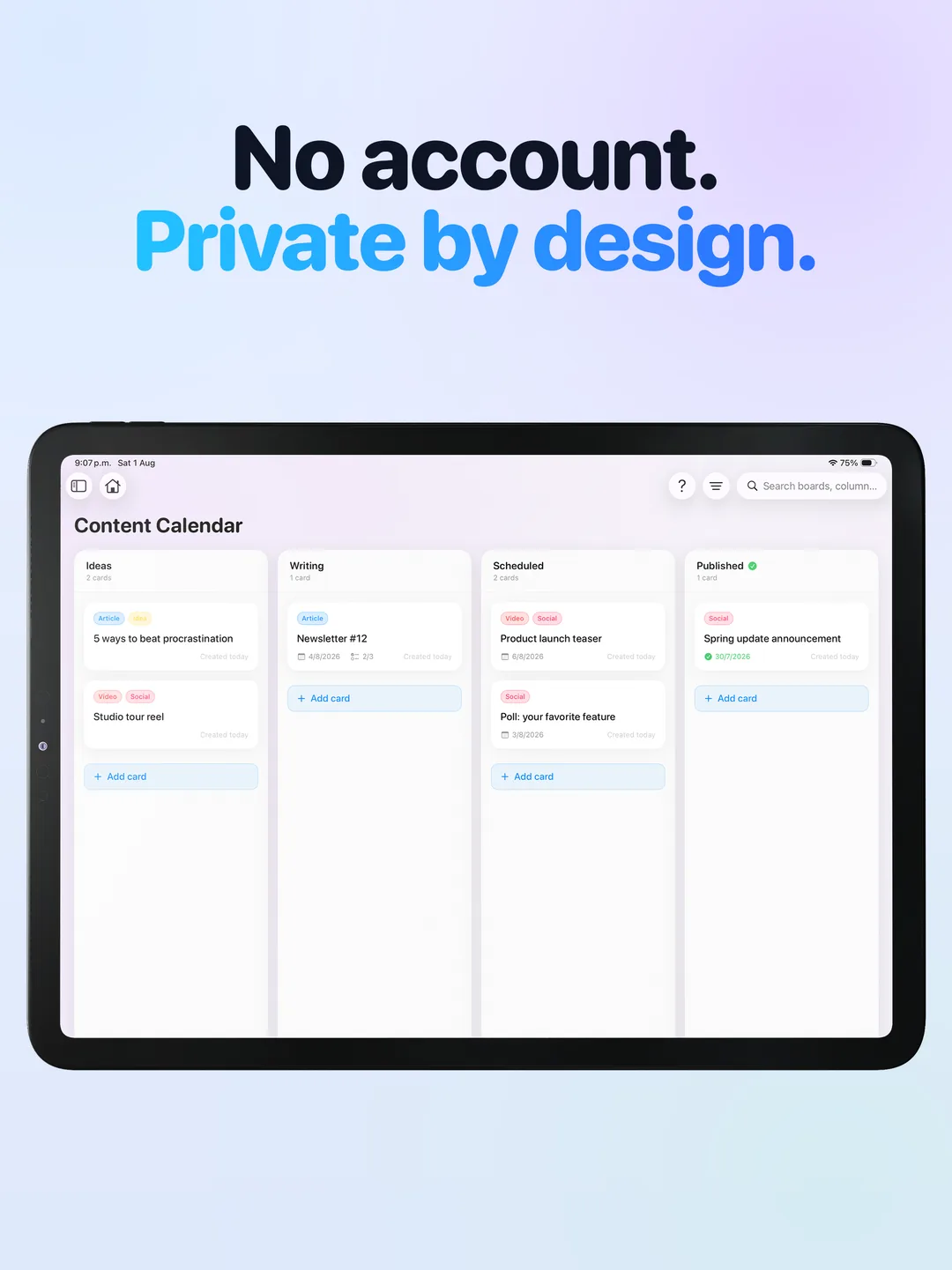
No account required. Everything syncs through your own iCloud.
-
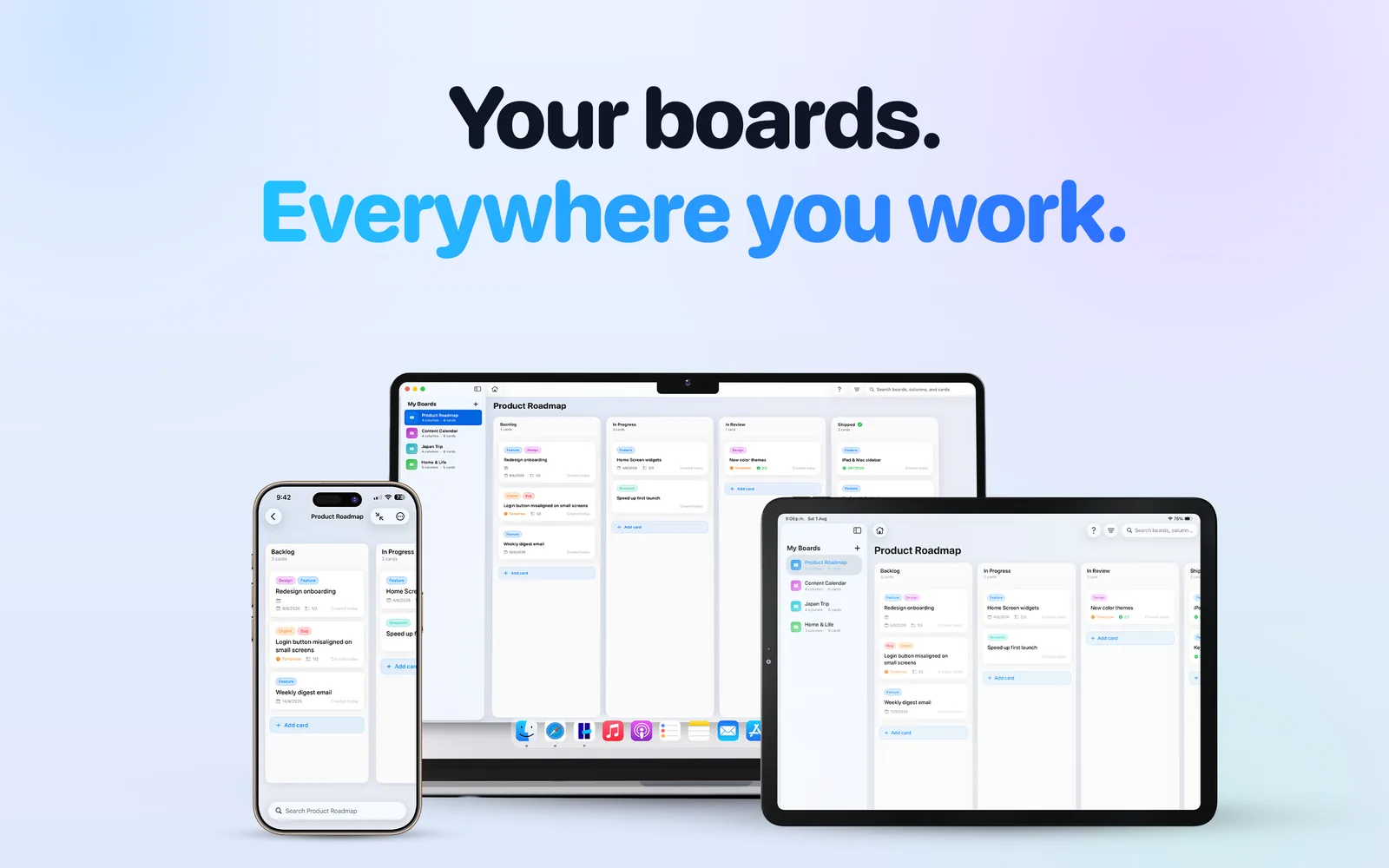
One purchase, three platforms: Hense is a native Mac app, not a web page in a window. -
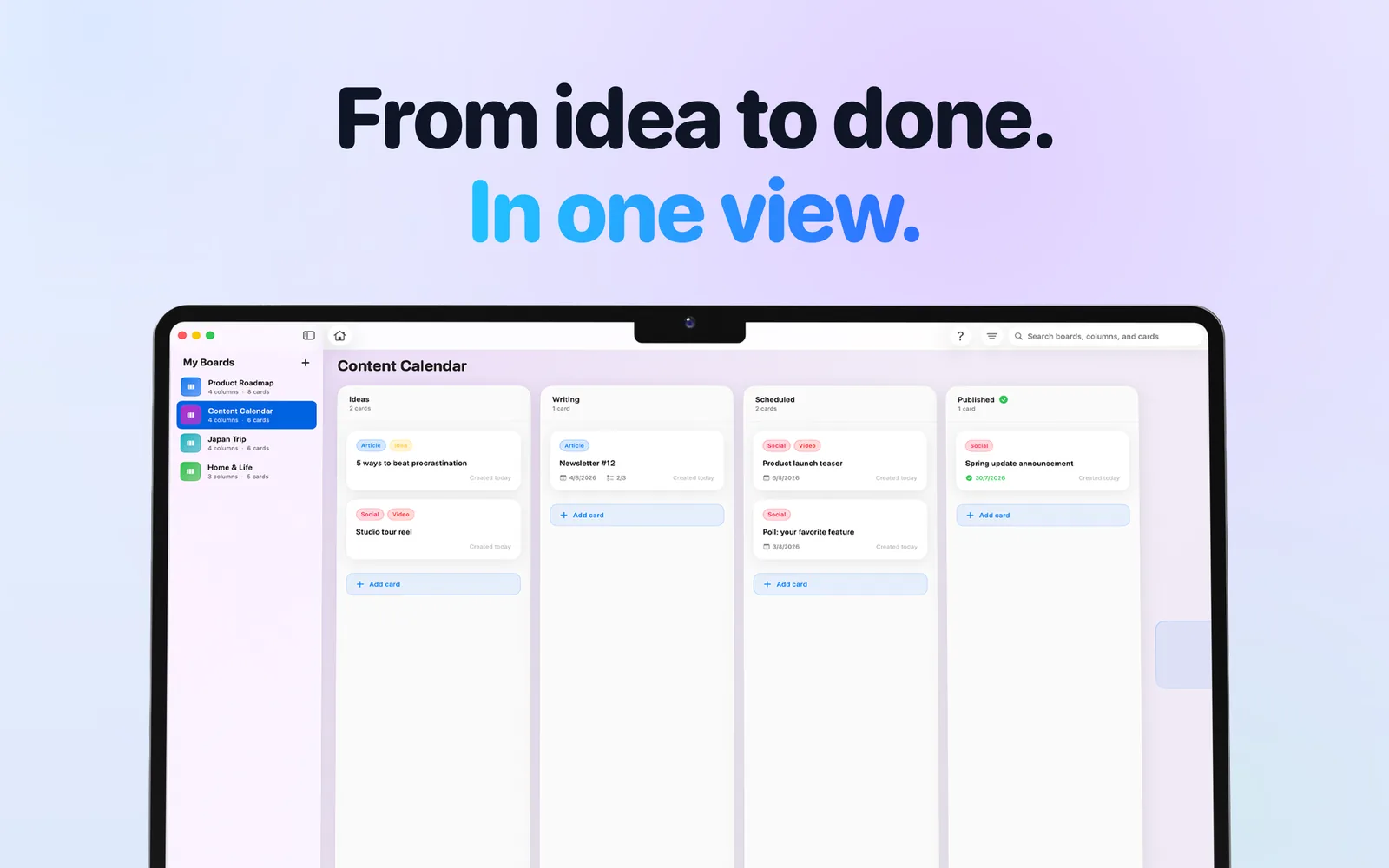
A content calendar board on Mac with Ideas, Writing, Scheduled, and Published columns. -
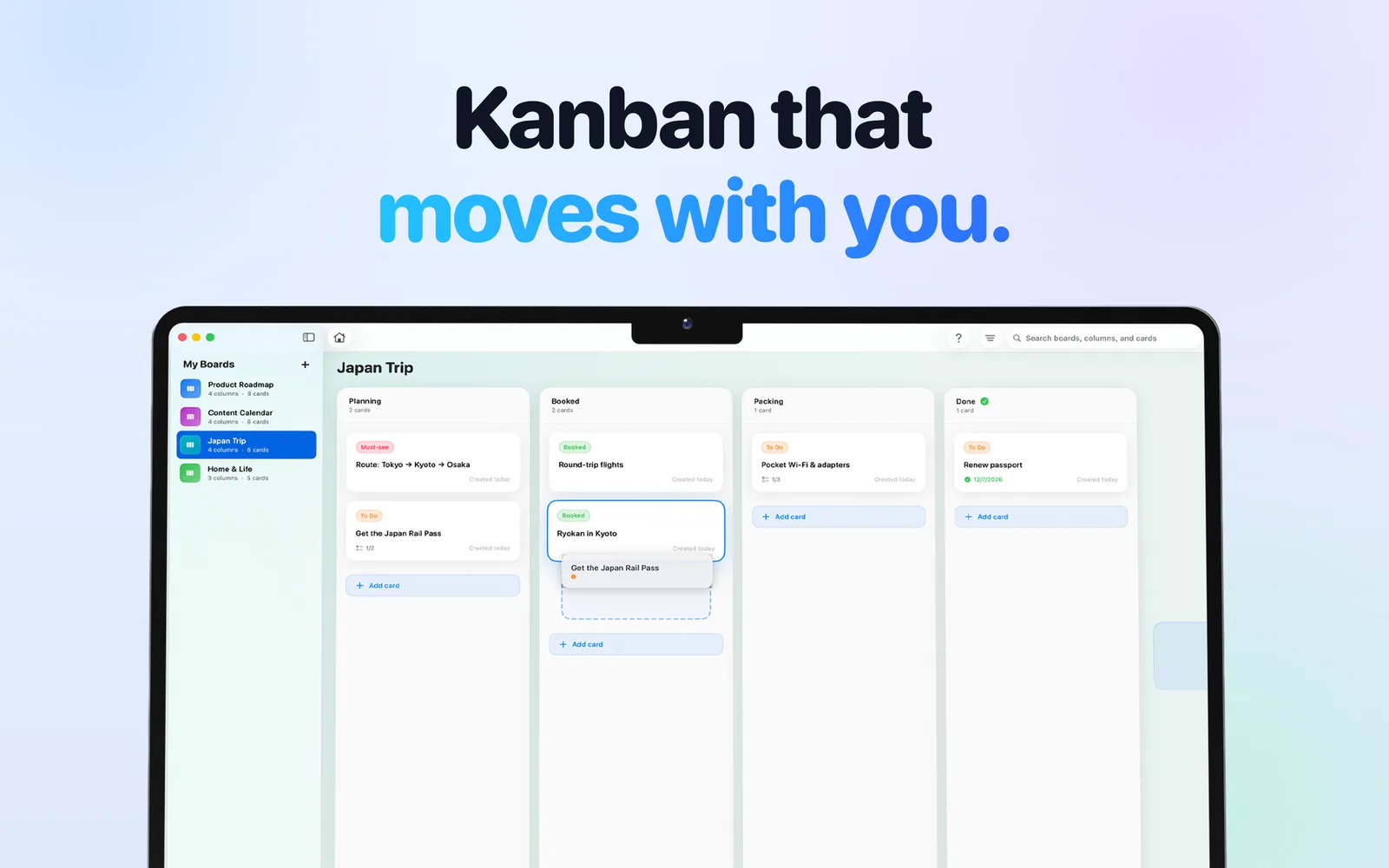
Drag a card from Planning to Booked on Mac; every move syncs to iPhone and iPad. -
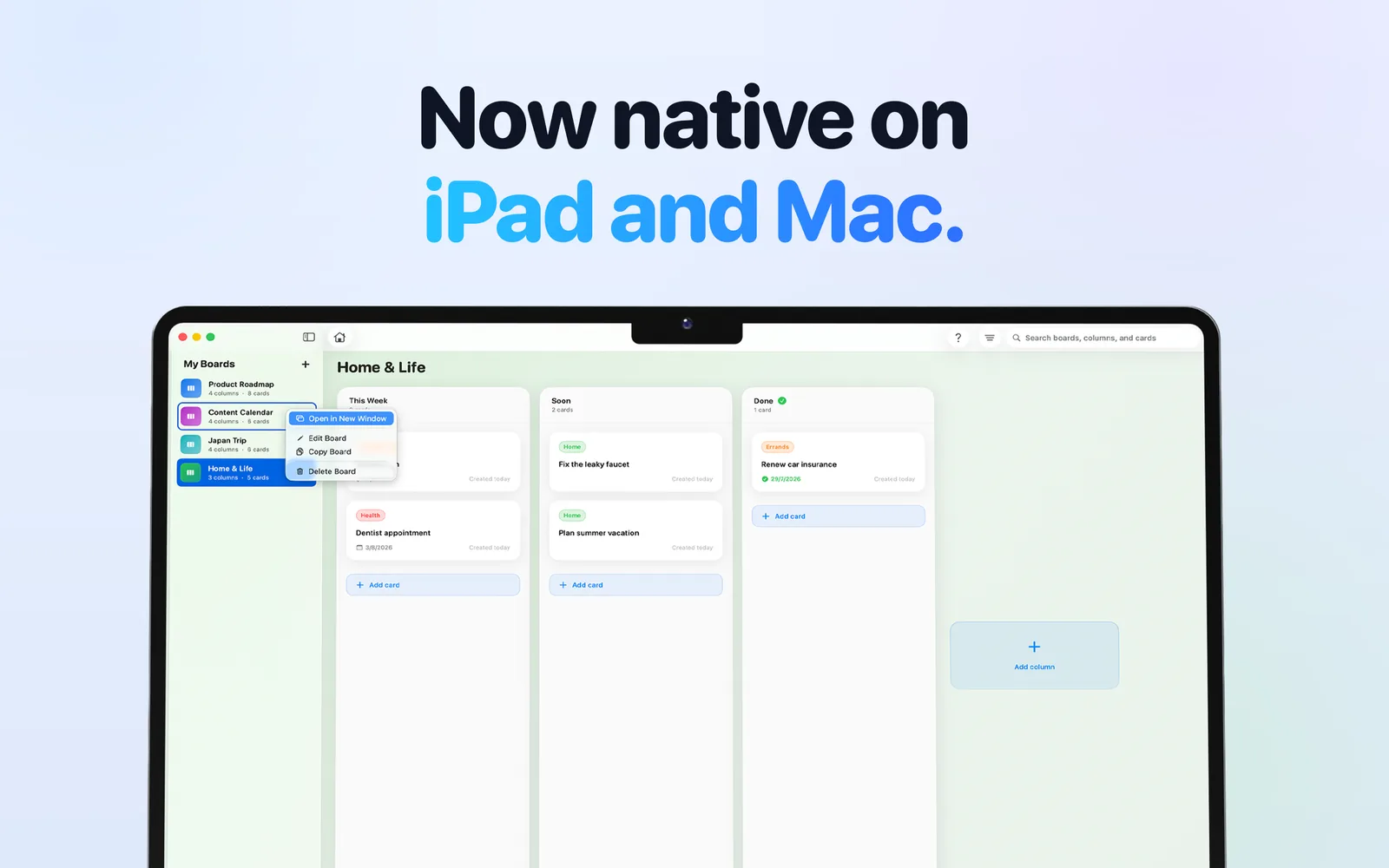
Right-click a board on Mac to open it in its own window, edit it, copy it, or delete it. -
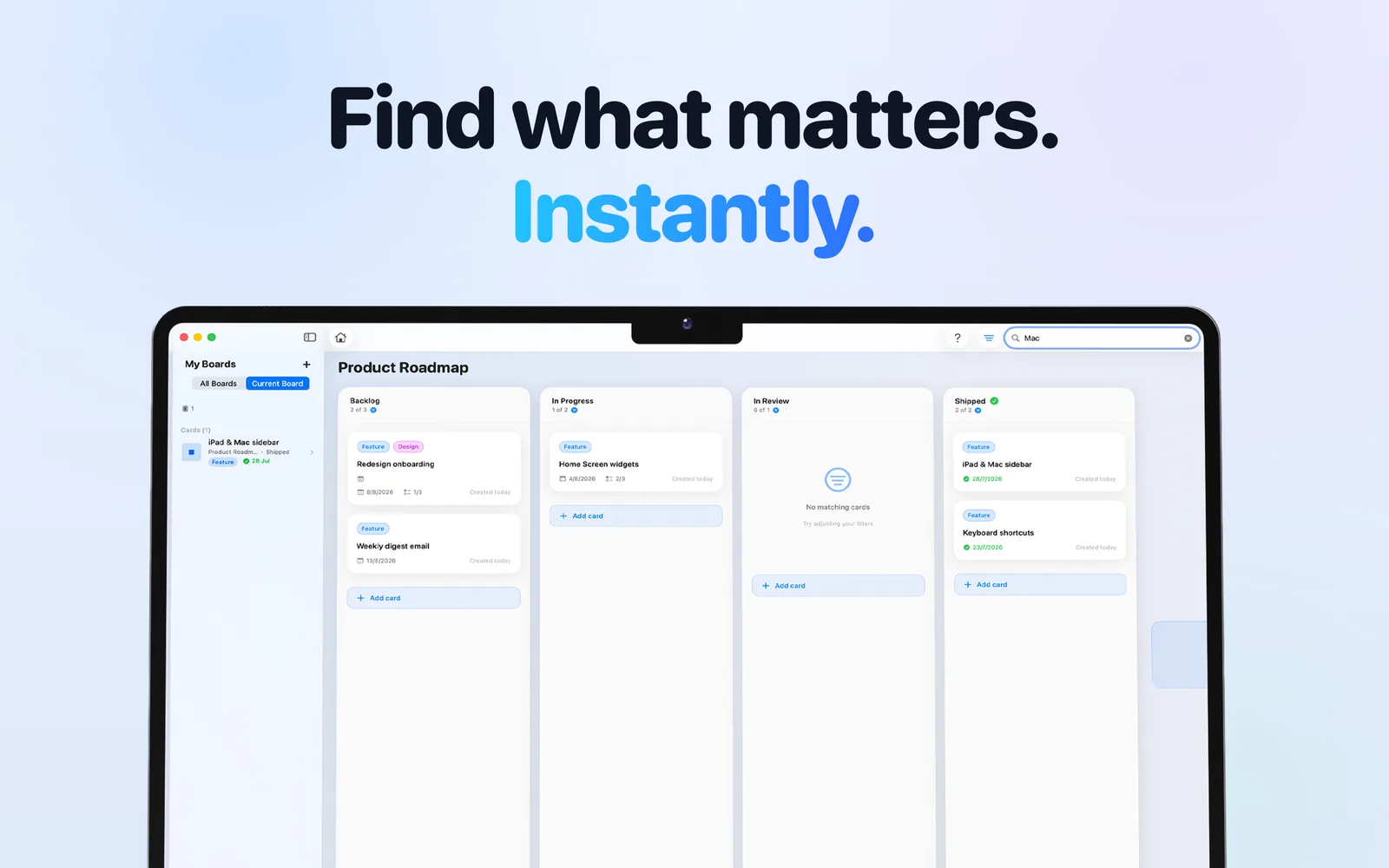
Search on Mac with All Boards or Current Board scope and label: and column: filters on Pro. -
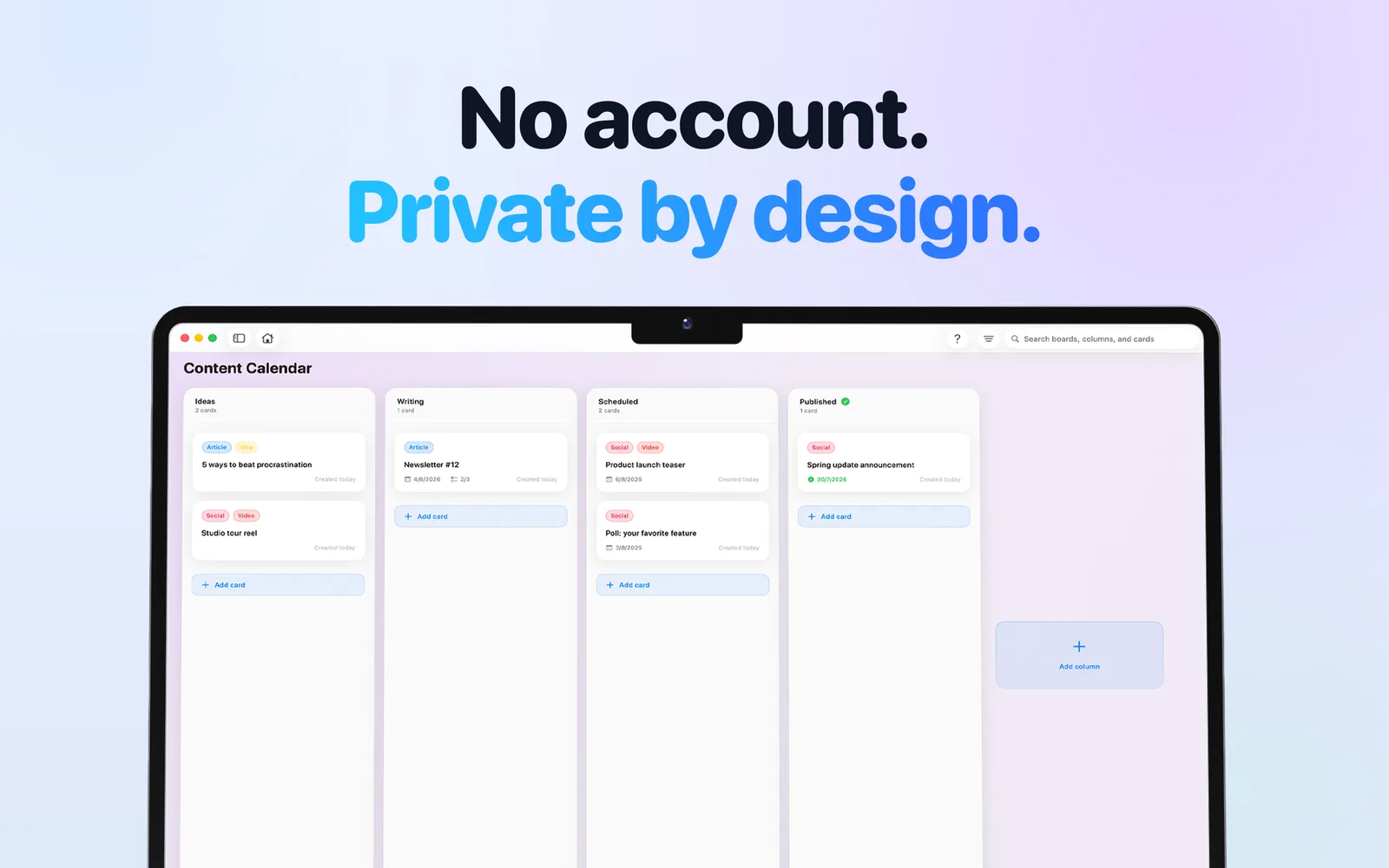
A clean, focused board on Mac with keyboard shortcuts for new boards, columns, and cards.
See your whole project at a glance
A product launch, a trip, a semester, your week. A Kanban board shows every piece of it and what stage it is in, and Hense keeps the board simple enough to actually use.
Drag, drop, done
Move cards between columns with a satisfying tap of haptic feedback. Page through one column at a time on iPhone, or zoom out to see the whole board.
Native on iPhone, iPad & Mac
Not a web page in a window. A sidebar for your boards on iPad and Mac, multiple board windows on Mac, menu bar commands, keyboard shortcuts, and right-click or long-press quick actions.
Hense on the Mac →Dates, checklists, labels & attachments
Give a card a start and due date, break it into checklist steps, tag it with color-coded labels, and attach a photo or file that opens in place. Overdue cards turn red so nothing slips.
Search that jumps to the card
Type a few letters and Hense scrolls straight to the matching card. Pro searches every board at once and narrows results with label: and column: filters.
iCloud sync, offline, no account
Your boards live on your devices and in your own iCloud. Work offline, sync when you are back, and never hand your data to anyone else's server.
How sync and offline work →Made to feel good
Fifteen board colors, smooth animations, haptics, dark mode, and an interface that stays out of the way. Task management you will actually open.
How it works
A Kanban board is three ideas: a board for the project, a column for each stage, and a card for each piece of work. Hense adds nothing you have to learn first.
-
Create a board
Name it after the thing you are organizing (Product Roadmap, Japan Trip, Home & Life) and pick one of fifteen colors. On Mac, that is one keyboard shortcut.
-
Add a column for each stage
To Do, Doing, Done is enough to start. Add Waiting or Someday when you need them. Pro can mark a column as the end state, so finished cards stop showing as overdue.
-
Add cards and move them as work happens
Give a card a due date, a checklist, a label, or a photo. Drag it to the right when it moves forward. Search when you lose track. That is the whole system.
Want a worked example? Read the personal Kanban board guide →
Guides: Kanban for the way you work
Practical, honest walkthroughs: what to put on the board, how to run it, and exactly how to do it in Hense on your iPhone, iPad, or Mac.
Kanban on your Apple devices
Kanban on iPhone: how to run a real board from your pocket
What a Kanban board should look like on a phone screen, and how to set one up, move cards, and find things again in Hense on iPhone.
Read the guide →Kanban on iPad: a board that uses the whole screen
Why the iPad is the best screen for a personal Kanban board, and how to use the sidebar, drag and drop, keyboard shortcuts, and Split View in Hense.
Read the guide →A native Kanban app for Mac: windows, shortcuts, and no web wrapper
What makes a Mac Kanban app feel native, and how to use Hense's board windows, menu bar commands, keyboard shortcuts, and right-click actions on macOS.
Read the guide →Boards for the way you work
How to set up a personal Kanban board (and keep it alive)
The columns, the one rule that keeps a solo board honest, and the weekly habit that stops it from dying, with the exact setup in Hense.
Read the guide →A weekly Kanban board: plan the week in ten minutes, then just move cards
A four-column weekly board, a Sunday reset that takes ten minutes, and how to reuse the board every week in Hense.
Read the guide →A Kanban board for students: one board per semester, never blindsided by a deadline
The semester board (Assigned, This Week, In Progress, Submitted, Graded), a label per class, and due dates you can see, all in the free version of Hense.
Read the guide →A Kanban board for home: household admin and home projects on one screen
A Home & Life board for the person who carries the household in their head: the columns, the labels, and the honest limits (boards are personal, not shared).
Read the guide →A Kanban board for ADHD brains: when lists shut down and a board does not
The reasons a visual board tends to stick where lists fail (visibility, a one-card Doing column, small next steps), and the exact setup in Hense. Written as a tool, not a treatment.
Read the guide →A visual to-do list: turn your list into a board in ten minutes
What "visual" should mean in a to-do app (status you can see, not just colors), and the ten-minute conversion from a list to a board in Hense.
Read the guide →Free, private, and offline
A free Kanban app with no subscription: what Hense includes free, and what Pro costs once
The exact free limits (2 boards, 5 columns, 3 labels, 5 checklist items, 1 attachment per card), what the one-time $9.99 Pro unlock adds, and how to decide whether you need it.
Read the guide →An offline Kanban app with iCloud sync and no account: how Hense keeps your boards yours
How an offline-first board with iCloud sync actually works, the three things to check when a device looks out of date, and where your data does and does not go.
Read the guide →Kanban in Apple Reminders: when the column view is enough, and when you need a real board
How to build a Kanban board in Reminders (sections plus the column view), the honest list of where it runs out, and how a dedicated board like Hense fills the gaps.
Read the guide →Start free. Upgrade once, if you want to.
No subscription. No recurring fees. Hense Pro is a single one-time purchase, and free updates are included.
Free forever
- 2 boards, up to 5 columns each
- 3 labels per board, 5 checklist items per card
- 1 photo or file attachment per card
- Drag and drop, due dates, and search within a board
- Sidebar, board windows, and keyboard shortcuts on iPad and Mac
- Automatic iCloud sync across iPhone, iPad, and Mac
- No account required. Private by design
Pay once. Keep it forever, with free updates.
- Unlimited boards, columns, labels, checklist items, and attachments
- Copy boards, columns, and cards (reuse a board as a template)
- End-state columns for finished work
- Global search across every board
- Advanced search filters (label: and column:)
- One purchase for iPhone, iPad, and Mac. No subscription, ever
Both tiers include iCloud sync and Universal Purchase across iPhone, iPad, and Mac. Pro is unlocked inside the app. Compare Free and Pro in detail →
Download Hense free
One download for iPhone, iPad, and Mac from the App Store. Requires iOS 18, iPadOS 18, or macOS 15 or later. Available in English, Spanish, Portuguese (Brazil), Japanese, and French.
Download on the App StoreVersion 1.2.1 · Free · Pro upgrade inside the app · No subscription
Frequently asked questions
Short, direct answers. Each one links to a longer guide.
Is Hense free?
Yes. Hense is free to download on iPhone, iPad, and Mac. The free version includes 2 boards with up to 5 columns each, 3 labels per board, checklists, one attachment per card, drag and drop, board search, and iCloud sync. Hense Pro is a one-time purchase of $9.99 USD that removes every limit. There is no subscription.
Learn more: What free includes and what Pro adds →
Is there a Kanban app for iPhone that shows real columns?
Yes. Hense shows real Kanban columns on iPhone, with drag and drop between them, and you can page through one column at a time or zoom out to see the whole board. Apple Reminders can also display a list as columns on iPhone since iOS 18, which is a fine way to try the idea; Hense is a dedicated board with board colors, per-board labels, checklists, attachments, and search across boards.
Learn more: Kanban on iPhone, step by step →
Does Hense work on Mac and iPad, or is it a phone app scaled up?
Hense is a native app on all three. On iPad and Mac your boards sit in a sidebar next to the board you are working on. On Mac you can open any board in its own window, use the menu bar and keyboard shortcuts, and right-click boards, columns, and cards for quick actions. One purchase covers iPhone, iPad, and Mac.
Learn more: Hense on the Mac →
Does Hense need an account?
No. There is nothing to sign up for and no password to remember. Your boards are stored on your device and synced through your own iCloud account, so they never touch anyone else's servers.
Learn more: How offline use and iCloud sync work →
Does Hense work offline?
Yes. Every board is stored locally, so you can add, edit, and move cards with no connection. Changes queue up and sync through iCloud the next time you are online.
Learn more: Offline Kanban with iCloud sync →
What does Hense Pro cost, and is it a subscription?
Hense Pro is $9.99 USD, paid once. It is not a subscription and there are no recurring fees. Pro unlocks unlimited boards, columns, labels, checklist items, and attachments, plus copying boards, columns, and cards, end-state columns for finished work, global search across every board, and the label: and column: search filters. Free updates are included.
Learn more: Free vs Pro, in detail →
Can I attach photos and files to cards?
Yes. Open a card and add images, photos, or files from your photo library or the Files app. Attachments open in place with Quick Look and sync across your devices with iCloud. Free includes one attachment per card; Pro removes the limit.
Learn more: More on attachments and sync →
Can I use Hense as a personal Kanban board?
That is what it is built for. Hense is designed for one person organizing their own work, studies, home projects, or freelance clients. There are no assignees, permissions, or team dashboards to get in the way, and boards are private to your Apple account.
Learn more: How to set up a personal Kanban board →
How is Hense different from Trello?
Trello is a web app built for teams, with accounts, servers, and a subscription for its useful features. Hense is a native Apple app built for one person: no account, iCloud sync, offline use, and a one-time Pro upgrade instead of a subscription. If you collaborate with other people or need Windows or Android, Trello is the better fit.
Learn more: Hense vs Trello, the full comparison →
How is Hense different from the column view in Apple Reminders?
Reminders can show a list as columns on iPhone, iPad, and Mac, which is a fine way to try the idea. Hense is a dedicated board: boards with their own colors and labels, a one-column-at-a-time view on iPhone, checklists and attachments on every card, copying boards as templates, and search that jumps to a card across boards.
Learn more: Kanban in Apple Reminders vs a dedicated board →
Where is my data stored?
In two places you control: on each device, and in your personal iCloud storage for sync. Hense has no servers of its own and no analytics tied to your boards. Deleting the app and its iCloud data removes everything.
Learn more: Read the privacy policy →
Which devices and OS versions does Hense support?
Hense runs on iPhone and iPad with iOS or iPadOS 18 or later, and on Mac with macOS 15 or later. It is one universal purchase, and the app is available in English, Spanish, Portuguese (Brazil), Japanese, and French.
Learn more: Support and troubleshooting →About Hense
Hense: Kanban Task Board is made by Alan Avalos, an independent developer who builds small, focused Apple apps. It launched in January 2026 and is built with SwiftUI and iCloud so it feels native on every device and never needs a server of its own. Hense is designed for one person organizing their own work, studies, home projects, or freelance clients.
Ready to see your whole project at a glance?
Create your first board in under a minute. No tutorial, no account, no subscription. Just add a few columns and start moving cards.
Download Hense Free