Why I built Kandou: an app for people who collect quotes
Some people highlight passages in their books and never come back to them. Some people screenshot tweets and let them rot in Photos. Some people write quotes on index cards and hope to stumble on them again.
I’m the third kind.
For as long as I can remember, I’ve collected lines from books, games, anime, films, and TV shows. A throwaway exchange between two characters in a JRPG. A sentence in a novel that stops you and makes you reread the page. A monologue you didn’t expect to floor you. Quotes are small pieces of someone else’s thinking, distilled.
The collection grew over the years. Slowly at first, then fast. By the time I really started paying attention to it, I had hundreds.
For most of that time, my “system” was Apple Notes.
The Notes app was the wrong shape
Notes is a beautiful, simple app. I love it for what it’s designed for: a quick scratch pad, a checklist, a list of names. It’s also the closest thing to a default “place to put text” on an iPhone, which is why so many of us end up using it for things it was never built to do.
For maybe the first hundred quotes, Notes was fine. I’d open a note called “Quotes,” paste, type the source, close the app. The whole collection lived as one giant note that I’d scroll through occasionally on a Sunday.
Then it stopped being fine.
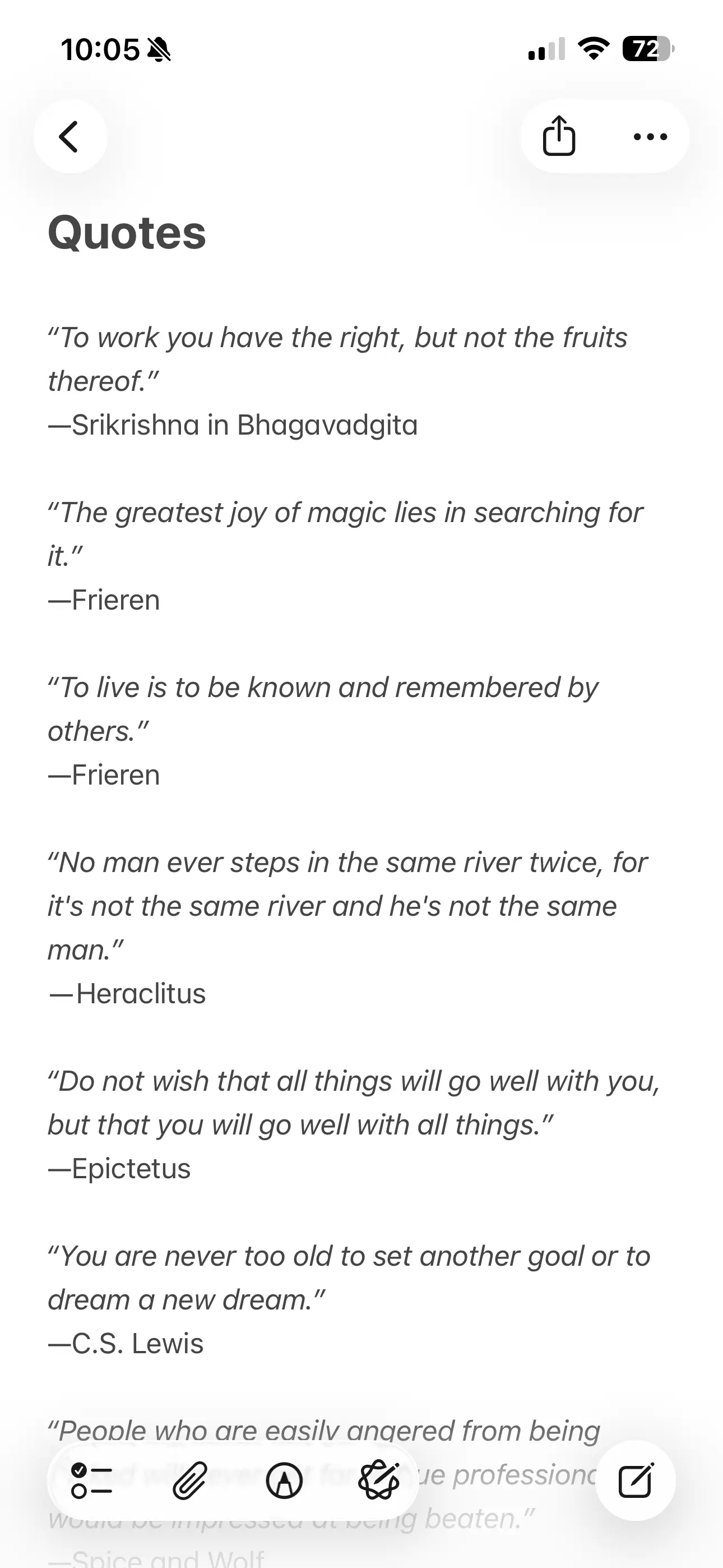
- Search was almost useless. A keyword like “time” returned a hundred matches with no way to narrow them down by source or by mood.
- There was no real tagging. The closest I got was inserting
#bookor#animeinto the body. That’s a tag the way a sticky note is a filing system. - I couldn’t see my own collection. It was a wall of text. The whole point of saving these lines was to revisit them, and the format actively discouraged me from doing that.
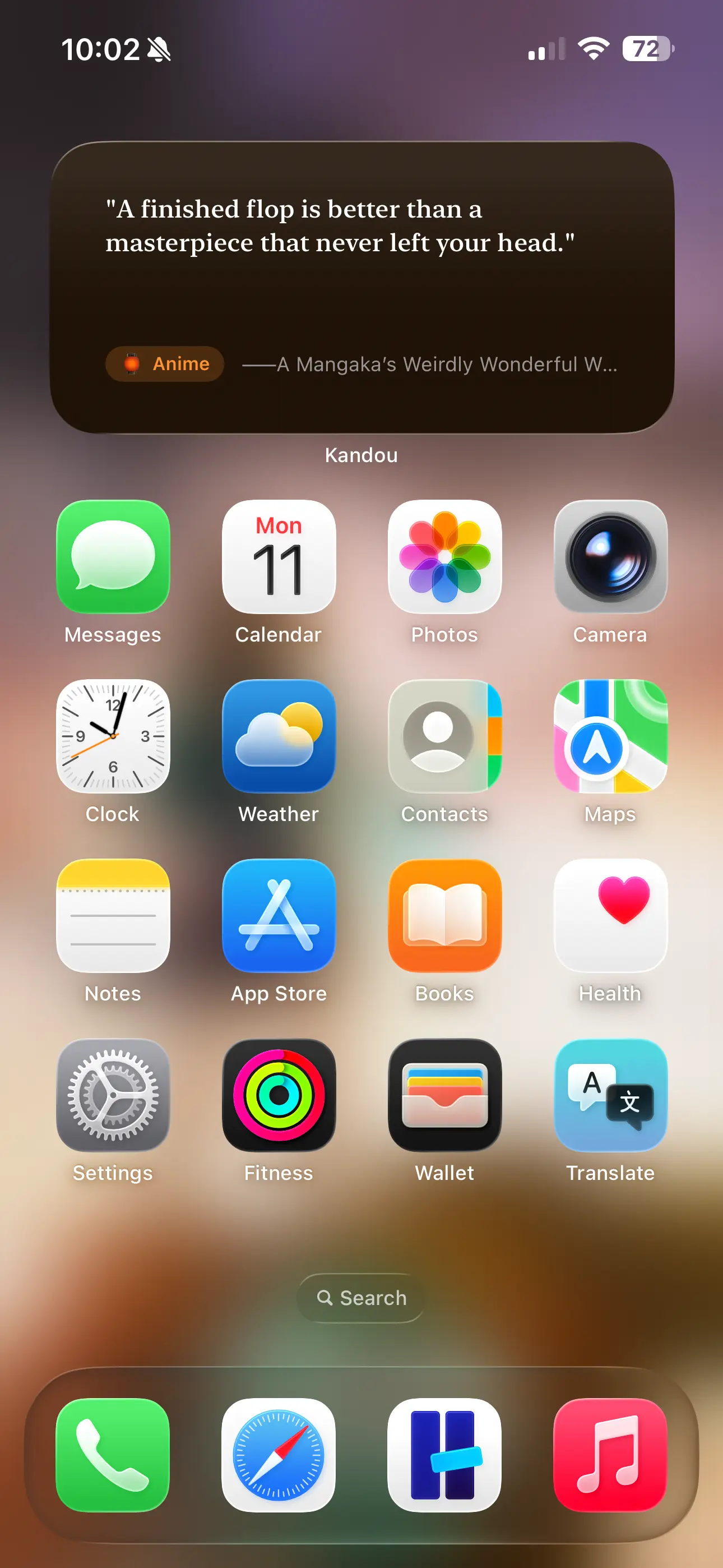
- The Home Screen was a missed opportunity. What I really wanted, when I thought about it, was a quote on my Home Screen the way the weather is on the Home Screen. Notes can’t do that. (That widget exists now; the quote widget guide shows how to set it up.)
I tried a few alternatives, mostly existing quotes apps. The problems I found with most of these were:
- You don’t “own” the content, because they expect you to pay a subscription to give you access to curated quotes.
- If you want to add your own quotes, these apps aren’t built for it: the experience feels limited.
- When you stop paying the subscription, you lose everything most of the time. Memories, experiences, special moments, valuable words… all gone.
So I did what I usually do when I can’t find the tool I’m looking for: I started sketching one.
What an app for collectors should actually do
The brief I wrote for myself was small. It had to be:
- An app, not a website. Quotes are deeply personal. The data has no business living on someone else’s server.
- iPhone first. This is the device I have on me when I read, watch, and play.
- Searchable in a way Notes couldn’t be. By source, by category, by free text.
- Visible. Specifically, visible without opening the app.
That last point is the one that ended up shaping the whole product. If you’ve ever screenshotted a quote and never looked at it again, you know the failure mode. A collection you don’t revisit is just a graveyard.
The fix, I decided, was to build the app around quote rotation. A rotation, daily or weekly or whatever cadence fits you, that surfaces a single quote and gets out of the way. On the Home Screen widget. In a feature card you tap into. As something you might glance at while waiting for the kettle.
Around that core, the rest of Kandou’s features fell into place naturally.
What Kandou is now
Kandou is an iPhone app for collecting quotes. You add a quote, attribute it to whoever or whatever said it, and Kandou lets you live with it. If you want the practical version of this, the guide to saving quotes on iPhone covers the whole flow, from the first quote to categories and search.
The pieces:
- Quote cards. Each quote is a card with the text, an author or source, and optional category. Typography that respects the line, not just the word.
- Categories you actually want to make. Color, icon, and emoji. Mine include “Books,” “Anime,” “Games,” “Films & TV,” and a few I won’t admit to here. You can build whatever shape your collection has.
- Search and filter. Free-text search across the whole collection, with filters by author/source and category. The thing Notes couldn’t do.
- Rotation. Daily, every other day, weekly, or custom. The quote rotates on the app’s main view and on your Home Screen widgets.
- Home Screen widgets. Small and medium. The same rotated quote, so the app and the widget always agree.
- No account, no tracking, fully local. Your quotes live on your device. Period. There’s no Kandou server in the middle.
There’s no version of any of this that requires a subscription, because subscriptions don’t make sense for an app where you provide the content. You’re not paying for a team of contributors curating a feed. You’re paying once for software that holds your stuff better than the default tools do.
Kandou is an app that accompanies you during important or special moments. You pick a category, say “Books”, set a rotation cadence, and go about your day. Whenever you take a pause, there’s a quote waiting for you that will keep you inspired.
That’s where the name comes from. 感動 (kandou) is the Japanese word for being deeply moved emotionally. The kind of feeling a good line in a story can produce hours, days, or years after you first read it.
How I priced it (and why)
Kandou is free for the first 15 quotes. After that, a one-time $4.99 in-app purchase unlocks the rest.
The free tier exists for a specific reason: you can’t tell whether a quote app is the right fit by reading about it. You have to try it with your actual quotes. Fifteen is enough to see whether the rotation feature lands, whether the typography feels right, whether the categories make sense for the way you sort things. If it doesn’t fit, you’ve lost nothing.
If it does fit, $4.99 is a one-time fee and you keep the unlock forever. No recurring charge, no degraded version six months from now.
I’m thinking about future expansions like curated quote packs as additional in-app purchases (a “Stoics” pack, a “Studio Ghibli dialogue” pack, a “Programming maxims” pack). Those would be optional, separate purchases, not a subscription wrapped in different packaging.
Update, September 2026: the curated library has since shipped as part of the one-time Pro unlock rather than as separate packs: a free Starter collection, plus Stoic Wisdom, Motivation, and Love with Pro. The Stoic quotes guide shows how it works.
If you’ve followed my work on Hense, this should sound familiar. The same general philosophy applies to both apps: small, specific tools that respect your data and your wallet, designed for one person doing one thing well. I wrote about that philosophy in more depth in Why I Built Hense if you want the longer version.
What’s next
Kandou is the app I wished existed for the way I already lived. The fact that other people have started using it for their own collections is the most affirming part of building it.
Something I didn’t expect: working on Kandou has changed my relationship with my own collection. I revisit quotes more often now, because the app makes that easy and the widgets make it inevitable. Lines I forgot I saved keep resurfacing on my Home Screen.
A few things I’m thinking about for future versions:
- Let users share quotes as styled images to social media or messaging apps.
- Enable quotes and categories to sync across the user’s devices using iCloud.
- Send a notification at a user-chosen time with the current quote of the day.
- Add a large-size widget family that displays multiple quotes or a featured quote with richer formatting (full author, category, and a decorative layout).
If you’ve ever screenshotted a quote and lost it, or piled them into a note that’s now too big to read, Kandou is for you. It’s on the App Store, free up to 15 quotes, and $4.99 once for the whole thing.
Have a quote you want to share, or a feature you’d love to see? Get in touch. I read every email.