Hense vs. Trello: a simpler Kanban for iOS and Mac
I used Trello in my last workplace, first as a team of one, then as the lead of a full team of developers and designers. Over the years I watched it go from the tool that taught me how to organize my projects visually, to a cog in Atlassian’s larger software ecosystem.
If you Google “Kanban app,” Trello shows up before anything else. There’s a reason for that. Trello introduced a generation of people to visual project management, and for teams that need real-time collaboration, comments, and a dozen integrations, it’s still a solid product.
But if you’re a solo creator working mostly on your iPhone, iPad, and Mac, Trello starts to feel like a sweater that doesn’t quite fit. Too much fabric in some places, too thin in others. After spending years with Trello, then building Hense as the alternative I wished existed, here’s an honest look at how the two compare and which one belongs in your dock.
Why most people start with Trello
Trello did something genuinely valuable. It made Kanban approachable for people outside of software teams. Designers, marketers, students, families planning a wedding. Anyone who’d ever used a sticky-note wall could open Trello and immediately get it. Boards, lists, cards. Drag and drop.
That clarity is why it became the default. When someone asks “what should I use to organize my projects?”, “Trello” is still a reasonable answer if you don’t know the asker.
The problem is what happens after the first month.
Where solo Apple users hit a wall
Most of the friction with Trello for solo work comes from one root cause: it was designed for teams, on the web, and then ported to other places. That fundamental shape leaks into every interaction.
Pricing assumes you’re a team. The free tier gives you up to 10 boards per workspace, which sounds generous until you start using it the way most people do, with one board per project. Going beyond that means $6 per user per month, or $5 if billed annually, which feels strange when you’re the only user. You’re paying for collaboration features you’ll never use.
It’s a web app first. The iOS and Mac apps are real, but they feel like windows into a web product. Tap into a card and you can feel the round-trip to a server. Drag across columns and there’s a small but persistent latency that a native app wouldn’t have.
Sync needs the network. No internet means no boards. For someone working from a coffee shop, on a plane, or in a coworking space with flaky WiFi, that isn’t a footnote. It’s the difference between getting work done and being blocked.
You need an account. Email signup, password, maybe two-factor. For a productivity tool, that’s friction without a payoff. The data is yours; why does it need to live behind someone else’s login wall?
Power-Ups for things that should be built in. Want a calendar view? Power-Up. Card aging? Power-Up. Many of them are free, but the workflow of “I need a feature, let me browse the marketplace” is alien on native apps where things either work or they don’t.
The elephant in the room: Atlassian. Trello isn’t a standalone product anymore. It’s part of a larger software portfolio Atlassian owns, and they’re naturally interested in selling you a subscription to whatever else fits next. That’s why they bought it.
None of these are dealbreakers if you’re a team paying $6 per seat for collaboration. They’re all dealbreakers, or at least daily annoyances, if it’s just you.
The simpler path
I built Hense because I wanted Kanban that felt the way the rest of my Mac and iPad feel: native, fast, and quiet. No account screen on first launch. No subscription nag. No “are you online?” pop-ups.
The design constraint that drove most of Hense was a single question: what’s the simplest thing that’s still useful for one person?
The answer turned out to be cards on a board, columns you can name, labels with colors, search that works, and iCloud sync that just happens. That’s the whole product.
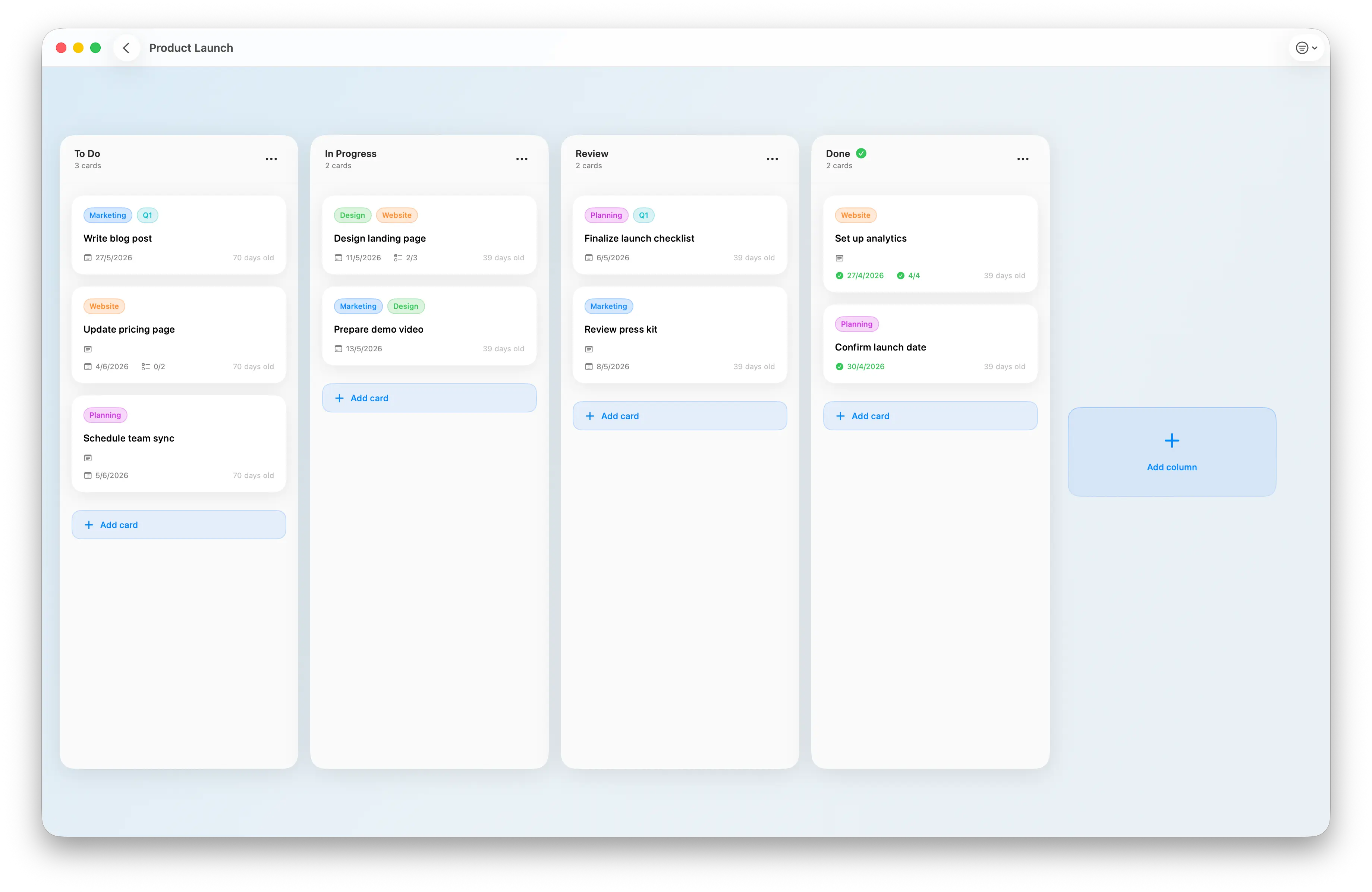
Side by side: how each one handles common things
Creating a card
In Trello, you click “Add a card,” type the title, and hit Enter. Then you wait a tick for the server to confirm before the next thing you do takes effect. Quick on a fast connection, slow when you’re tethered to a phone signal.
In Hense, you tap or click “Add a card,” type, and hit Enter. The card exists locally the moment you commit. Sync happens in the background with iCloud, so you don’t wait on it.
For one card, the difference is barely noticeable. For the fifth, sixth, and seventh card in a brainstorm, it adds up.
Searching across a board
Trello has search, and it’s decent. You can filter by label, list, board, due date. By the way, search doesn’t work when you’re offline. If you’re skeptical, try going offline and searching (as of May 2026).
Hense uses operator-style search. Typing label:red shows you every red card across the board, column:doing shows everything you’re actively on, and you can combine them. It’s the same idea as searching email with from: or has:attachment. Once it clicks, you stop scrolling.
Working offline
Trello on a plane is mostly read-only. You’ll see what was loaded last; you can’t reliably make changes.
Hense reads and writes to a local database first. Make changes on the train, in a tunnel, in the air. When you’re back online, iCloud reconciles everything. (How that works, and what to check when sync stalls, is in the offline and iCloud sync guide.)
Sync
Trello syncs through Trello’s servers. Reliable, but it’s also another company sitting between you and your data, and it requires an account.
Hense uses CloudKit, which is Apple’s iCloud sync service. Your data goes from your devices to your iCloud account and back. There’s no Hense server in the middle. There’s no Hense account.
Cost
Trello: free up to 10 boards per workspace, then $6 per user per month. Over a year, that’s $72. Over five years, $360.
Hense: free to start, then a one-time $9.99 unlock for Pro. Over five years, still $9.99. There is no subscription and no second invoice. (If you’re curious why I moved Hense to this pricing, I wrote about it in why I changed how Hense is priced.) The exact limits of the free version, and everything Pro adds, are listed in the free vs Pro guide.
This isn’t a moral argument. It’s a math argument for a specific type of user: the person who knows they’ll still be using a Kanban app five years from now, and would rather not bleed $6 a month for that whole stretch
When Trello is the right call
I want to be honest about this part, because it’s where most comparison posts get cute and try to argue their product wins on every dimension. It doesn’t.
Choose Trello if:
- You work with a team and need real-time collaboration on the same board.
- You want to comment on cards, @-mention people, and have threaded discussions.
- You rely on Power-Ups for integrations with Slack, Jira, GitHub, or Salesforce.
- You don’t care about offline access because you’re always online.
- You’re already deep in the Atlassian ecosystem at work and consolidation matters.
If any of those describe you, Trello is genuinely a great tool, and I wouldn’t try to talk you out of it.
When Hense is the right call
Choose Hense if:
- It’s mostly just you, organizing your own work (the personal Kanban board guide shows what that setup looks like).
- You live in the Apple ecosystem and would rather not have a web-app feel on your Mac and iPad.
- You’re tired of subscriptions for things that don’t justify them.
- You want to work offline and not think about whether you have signal.
- You’d rather your data sync through your iCloud than someone else’s server.
- You don’t want to feel overwhelmed by features you’ll never use.
That’s the audience Hense was built for, and it’s a real one. If it sounds like you, Hense is on the App Store, free to start on all your Apple devices, with a one-time $9.99 unlock for Pro.
The bottom line
Trello won the Kanban category by being good for teams. Hense exists because that win came with a shape that doesn’t fit the solo Apple user. If you’re a team, stay where you are. If you’re one person who wants Kanban that feels like the rest of your Mac, you have an option now.
Have a question, or want to push back on something I said? Get in touch. I’d genuinely love to hear from you.